
Como adicionar/vincular um novo método de pagamento para Afiliados
Both Admins and Affiliates can easily add PayPal or Bank as a payout method. Follow the steps below:
TABLE OF CONTENTS
- For AdminsStep 1: Go to Affiliate's Profile PageStep 2: Navigate to Payout Method TabStep 3: Add Payout MethodStep 4: Choose the payout method and add the required fieldsStep 5: Click Done
- Step 1: Go to Affiliate's Profile Page
- Step 2: Navigate to Payout Method Tab
- Step 3: Add Payout Method
- Step 4: Choose the payout method and add the required fields
- Step 5: Click Done
- For AffiliatesStep 1: Access Affiliate PortalStep 2: Navigate to Commissions TabStep 3: Add Payout MethodStep 4: Choose the payout method and add the required fieldsStep 5: Click Done
- Step 1: Access Affiliate Portal
- Step 2: Navigate to Commissions Tab
- Step 3: Add Payout Method
- Step 4: Choose the payout method and add the required fields
- Step 5: Click Done
- What's Next:
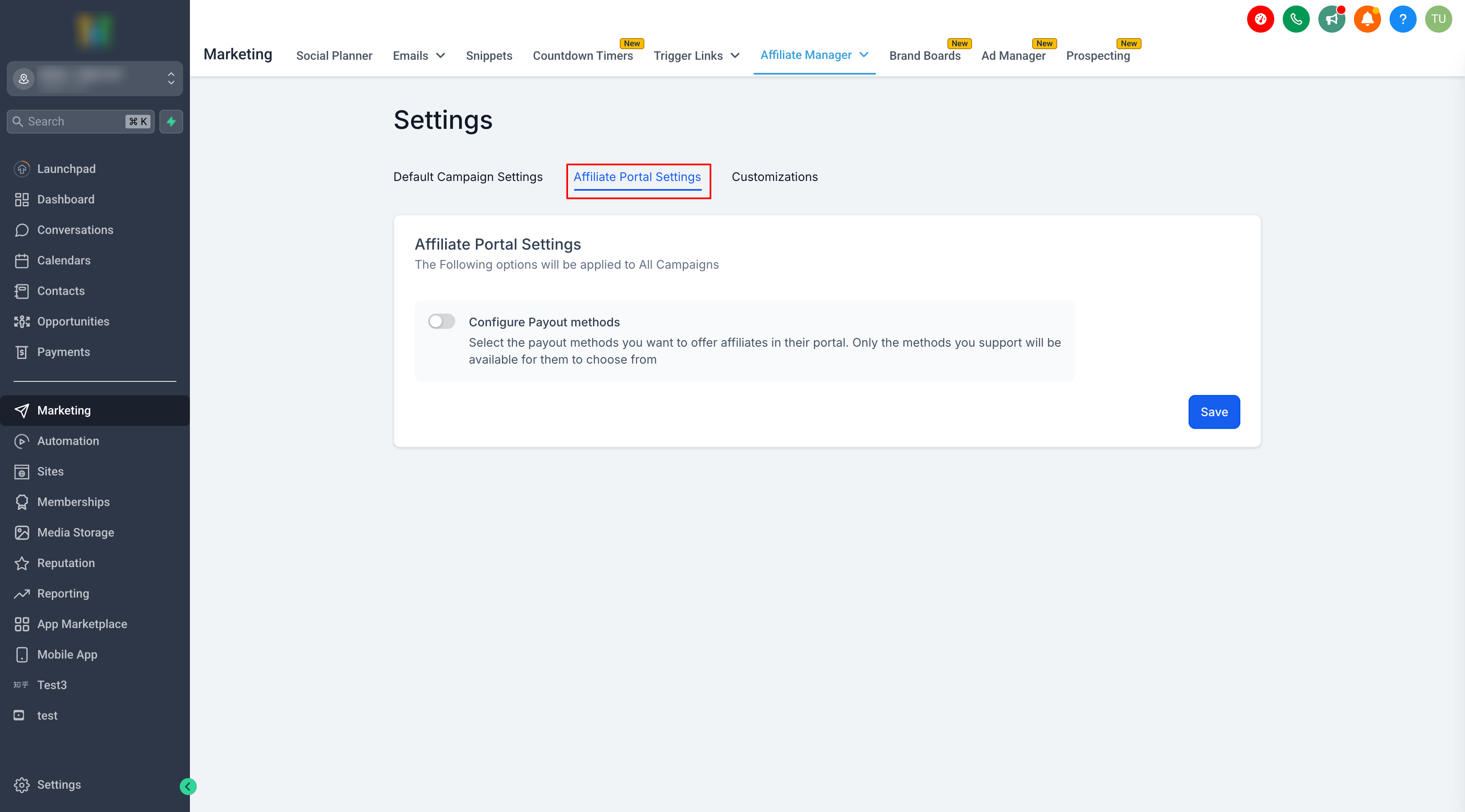
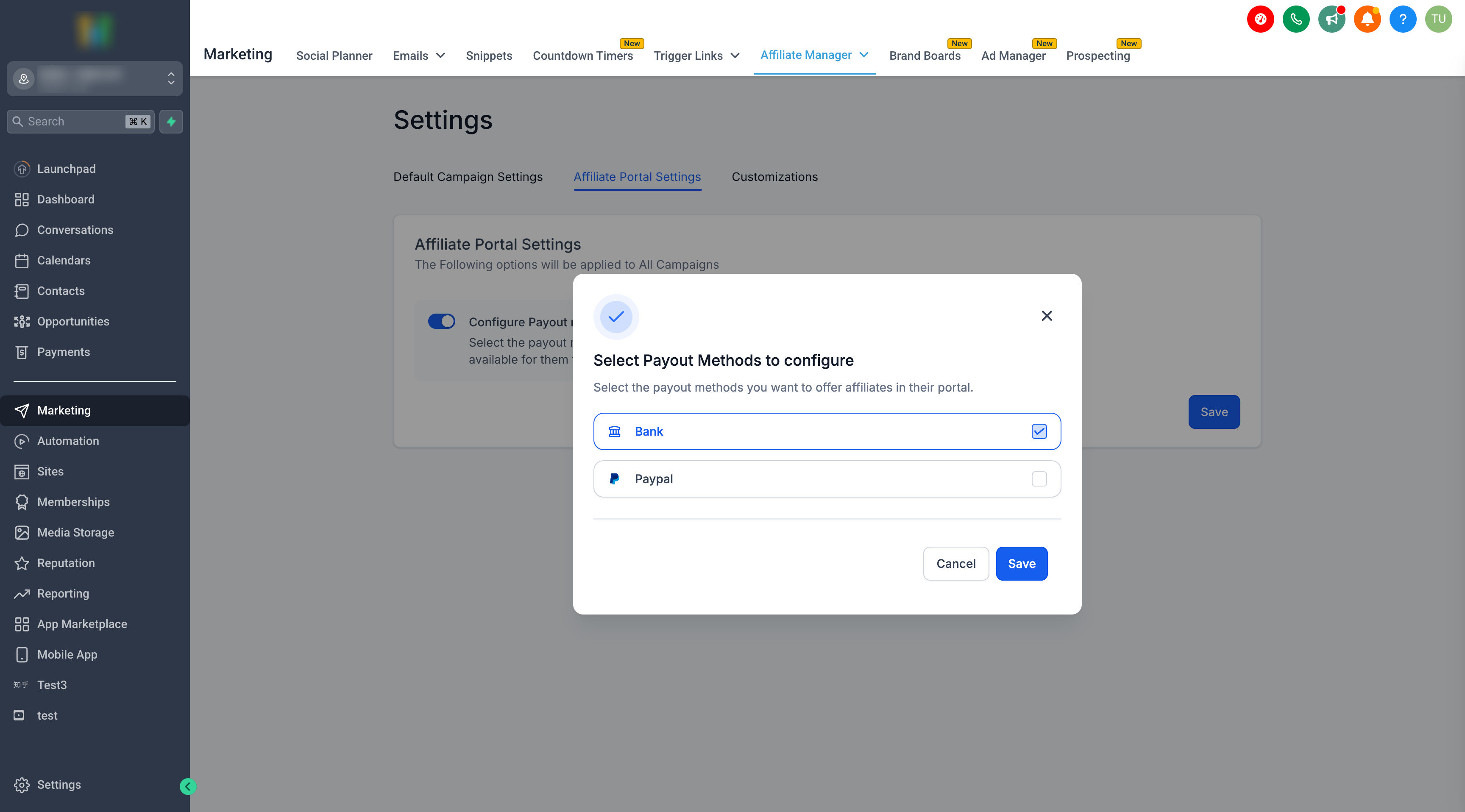
Important Note: Configuring Payout Methods for AffiliatesYou can now control which payout methods (PayPal, Bank Transfer) are available to your affiliates.How to Set It Up:1. Go to Affiliate Manager → Settings2. Click Affiliate Portal Settings → Configure Payout Methods3. Select the payout methods you want to enable4. Save your changesAffiliates will only see the options you’ve enabled, ensuring a smoother and more streamlined payout process.
For Admins
Step 1: Go to Affiliate's Profile Page
- Access the Affiliate's profile page in the Affiliate Manager.
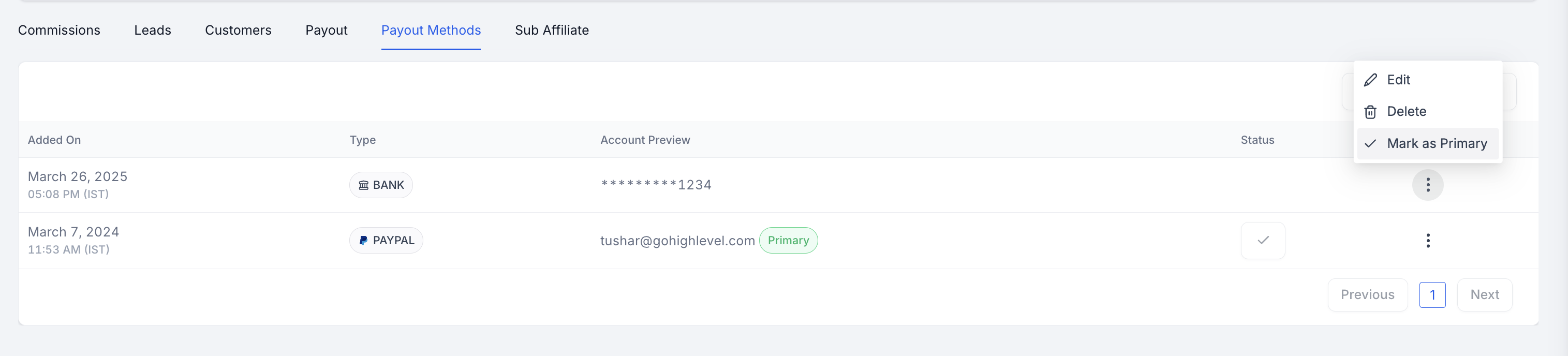
Step 2: Navigate to Payout Method Tab
- Scroll down and switch to the "Payout Methods" tab.
Step 3: Add Payout Method
- Click on "Add Payout Method."

Step 4: Choose the payout method and add the required fields
- ForPayPal: Enter the affiliate's valid PayPal email ID.

- For Banks: Select the country and fill the required details
Step 5: Click Done
- Once entered, click on "Done" to save the payout method.

- You can add multiple payout methods for an Affiliate and select one as a primary payout method.
For Affiliates
Step 1: Access Affiliate Portal
- Affiliates can log in to their portal using the magic link provided.
Step 2: Navigate to Commissions Tab
- Switch to the "Payout Methods" tab within the portal.
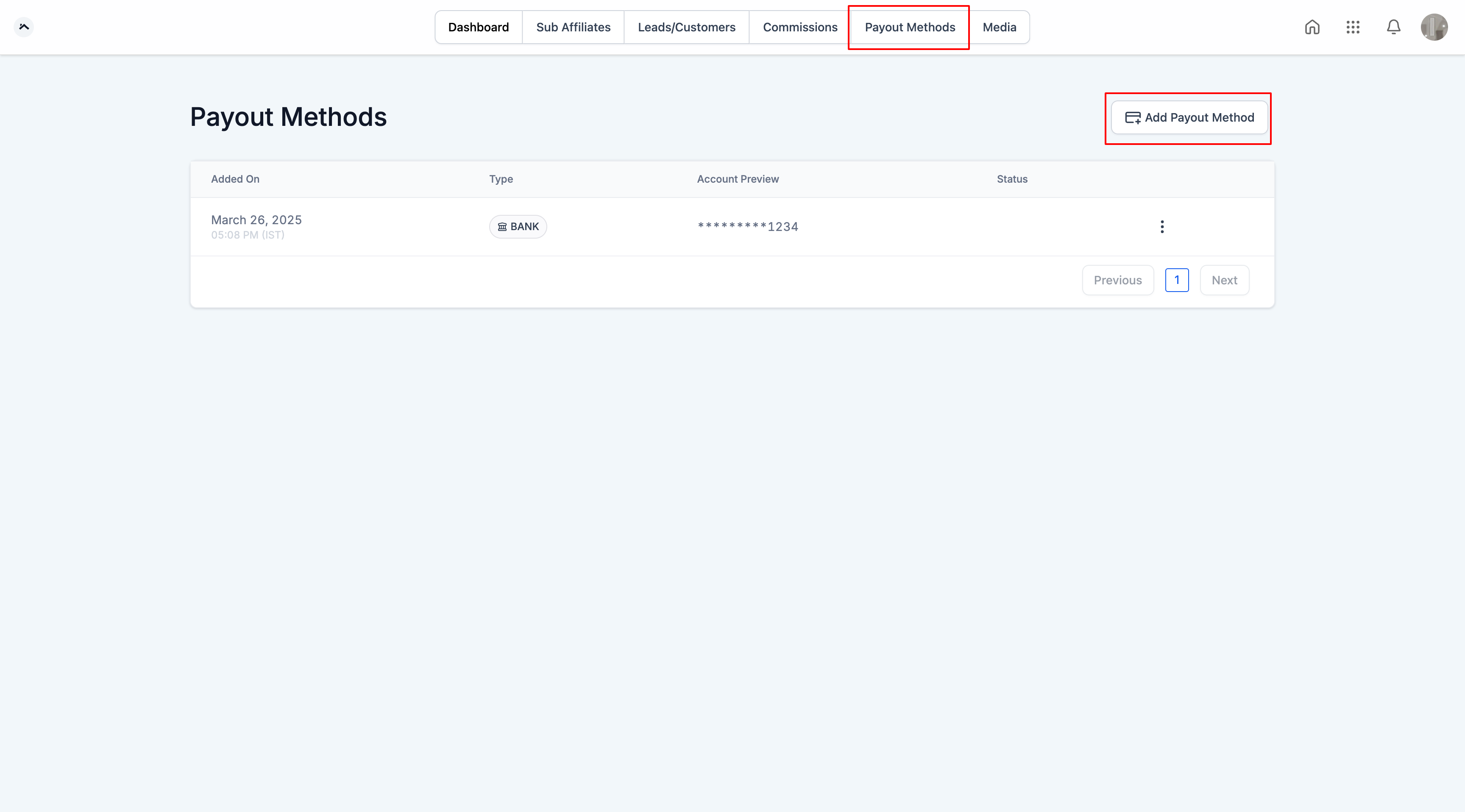
Step 3: Add Payout Method
- Click on "Add Payout Method."
Step 4:Choose the payout method and add the required fields
- For paypal :Enter valid PayPal email ID.

- For Banks: Select the country and fill the required details
Step 5: Click Done
- Once entered, click on "Done" to save the payout methods.
Please Note:Currently, PayPal APIs do not support account validation, so please exercise caution and ensure that valid PayPal email IDs are added for the affiliates.
What's Next:
- How to Set Up and Pay Affiliates Using PayPal Auto Payouts
- FAQs for Affiliate Payouts