
Ad Manager: Definição de orçamento de campanha
Understanding your campaign budget
Note:The currency used by the connected Meta Ad account and timezone which is used by the sub-account will automatically be reflected for the budget definition.
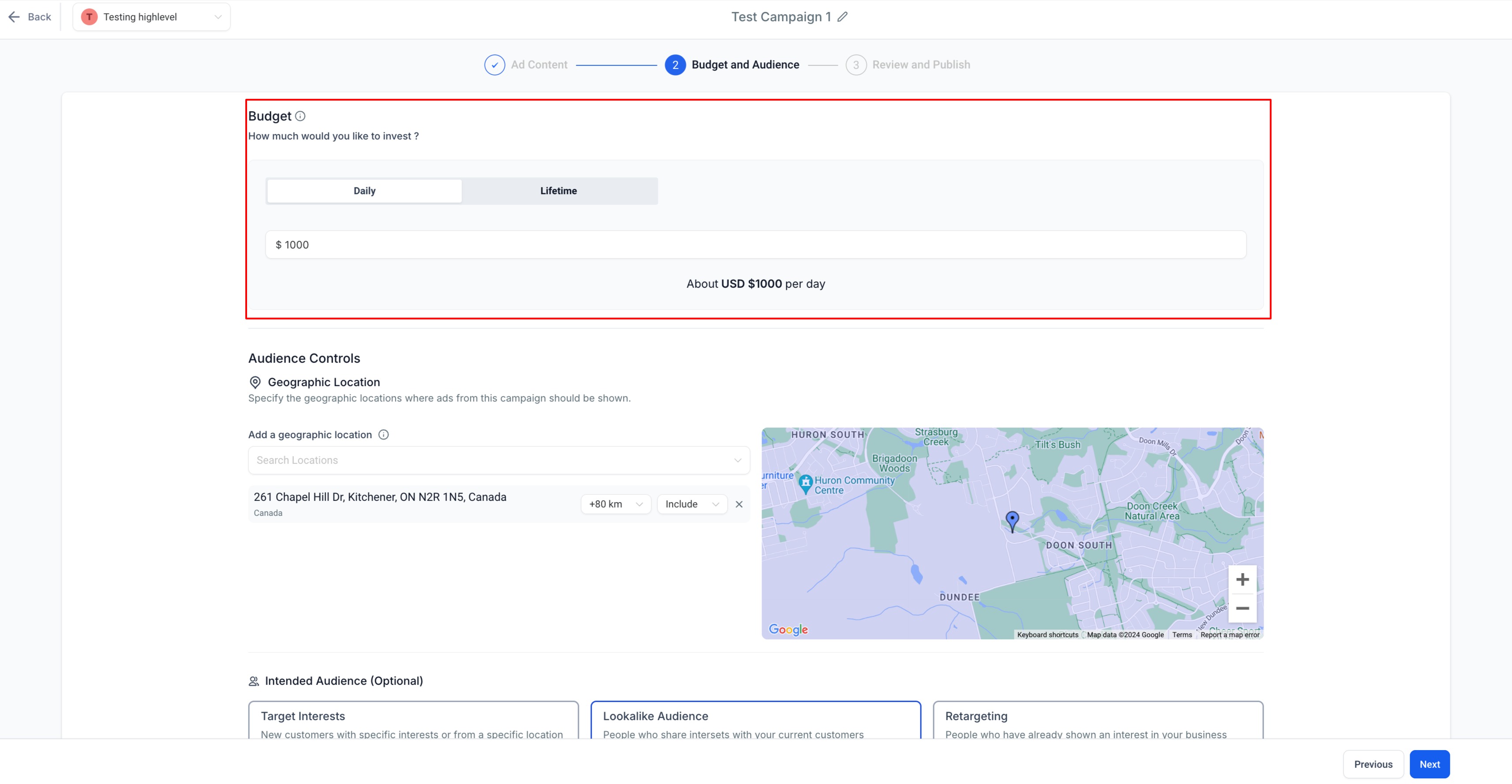
Once you choose a budget and launch your campaign, it renews automatically each month. If you choose to end your ad campaign, go on to pause or delete the ad campaign.
Note:The best thing you can give a campaign is time. Let your campaign run for a few months so Ad Manager can learn about your Ads, audience and conversions. The more data, the better it can optimise and deliver results.
Setting daily budget
How to set daily budget for a campaign:
- Go to New Campaign
Go to New Campaign
- Navigate toBudget and Audience(Step 2) in the campaign creation flow.
- In the Budget section, have the Daily toggle selected and enter the amount you wish to set as your daily ad budget.

- User can add other details of Ad Campaign.
- ClickNextat the bottom to review your ad and budget.
Please Note:
- The daily budget amount of a campaign can be edited when the campaign is in 'Paused', 'Failed' or 'Draft' state. Once Published' or 'In Review', the budget amount cannot be altered.
The daily budget amount of a campaign can be edited when the campaign is in 'Paused', 'Failed' or 'Draft' state. Once Published' or 'In Review', the budget amount cannot be altered.
- User cannot toggle between Daily to Lifetime or vice versa when a campaign is in 'Paused', 'Published' or 'In Review' state.
User cannot toggle between Daily to Lifetime or vice versa when a campaign is in 'Paused', 'Published' or 'In Review' state.
Setting lifetime budget
How to set lifetime budget for a campaign:
- Go to New Campaign
- Navigate toBudget and Audience(Step 2) in the campaign setup flow.
- In the Budget section, have the Lifetime toggle selected and enter the amount you wish to set as your lifetime ad budget.
- Use the date and time picker to select the start and end date of the ad campaign, the amount specified will be spread across this time period to be used as ad spend. The start and end date-time of campaign will be specified in the budget section in the local timezone of the sub-account.

- User can add other details of Ad Campaign.
- ClickNextat the bottom to review your ad and budget.
Please Note:
- The lifetime budget amount of a campaign can be edited when the campaign is in 'Paused', 'Failed' or 'Draft' state. Once Published' or 'In Review', the budget amount cannot be altered.
The lifetime budget amount of a campaign can be edited when the campaign is in 'Paused', 'Failed' or 'Draft' state. Once Published' or 'In Review', the budget amount cannot be altered.
- User cannot toggle between Daily to Lifetime or vice versa when a campaign is in 'Paused', 'Published' or 'In Review' state.
User cannot toggle between Daily to Lifetime or vice versa when a campaign is in 'Paused', 'Published' or 'In Review' state.
- The start and end date-time cannot be edited for 'Published' and 'In Review' status campaigns. Although the ones in 'Draft' and 'Failed' state can have their start and end date-time altered.
The start and end date-time cannot be edited for 'Published' and 'In Review' status campaigns. Although the ones in 'Draft' and 'Failed' state can have their start and end date-time altered.
- The end date-time of a 'Paused' campaign can be edited but it's start date-time cannot be edited.
The end date-time of a 'Paused' campaign can be edited but it's start date-time cannot be edited.