
Automatizando Comissões de Afiliados com a Ação de Workflow 'Adicionar Vendas Manuais para um Afiliado'
The"Add Manual Sales For An Affiliate"action in workflows enables you to efficiently manage and assign manual sales to specific affiliates within chosen campaigns. By automating the process, commissions are accurately calculated based on the campaign’s default settings, ensuring timely rewards and better commission tracking for affiliates. This feature streamlines workflows, enhances flexibility in handling affiliate-driven sales, and simplifies commission management.
What is the "Add Manual Sales For An Affiliate" Action in Workflows?
The"Add Manual Sales For An Affiliate"action allows you to assign manual sales to specific affiliates in selected campaigns. Once triggered, commissions are automatically calculated according to the campaign’s default commission settings and assigned to the affiliate.

Use Cases for the "Add Manual Sales For An Affiliate" Action
Here are some practical use cases for leveraging this workflow action:
1.Automate Recurring Manual Commissions
- Benefit: Automatically assign manual sales and commissions to an affiliate periodically. This is especially useful for recurring sales not tracked by the system, ensuring affiliates consistently receive their commissions.
- Example: For offline subscriptions or services paid outside the system, assign recurring sales and commissions to affiliates regularly.
2.Track Offline Sales
- Benefit: Capture and assign commissions for sales made offline or via channels not tracked by GHL, ensuring all affiliate-driven sales are accounted for.
- Example: Add manual sales for transactions made through phone orders or physical stores, providing affiliates their due commissions.
3.Reward Affiliate Engagement
- Benefit: Recognize and reward affiliates for non-monetary contributions, like training participation or lead quality, by assigning manual sales.
- Example: Manually add sales to reward affiliates for attending workshops or providing exceptional customer service.
How to Use "Add Manual Sales For An Affiliate" Action with Attribution Tracking
- Select "Add Manual Sales For An Affiliate" Action
- Begin by choosing this action within your workflow setup.
- Toggle "AUTO-TRACK AFFILIATE VIA ATTRIBUTION"
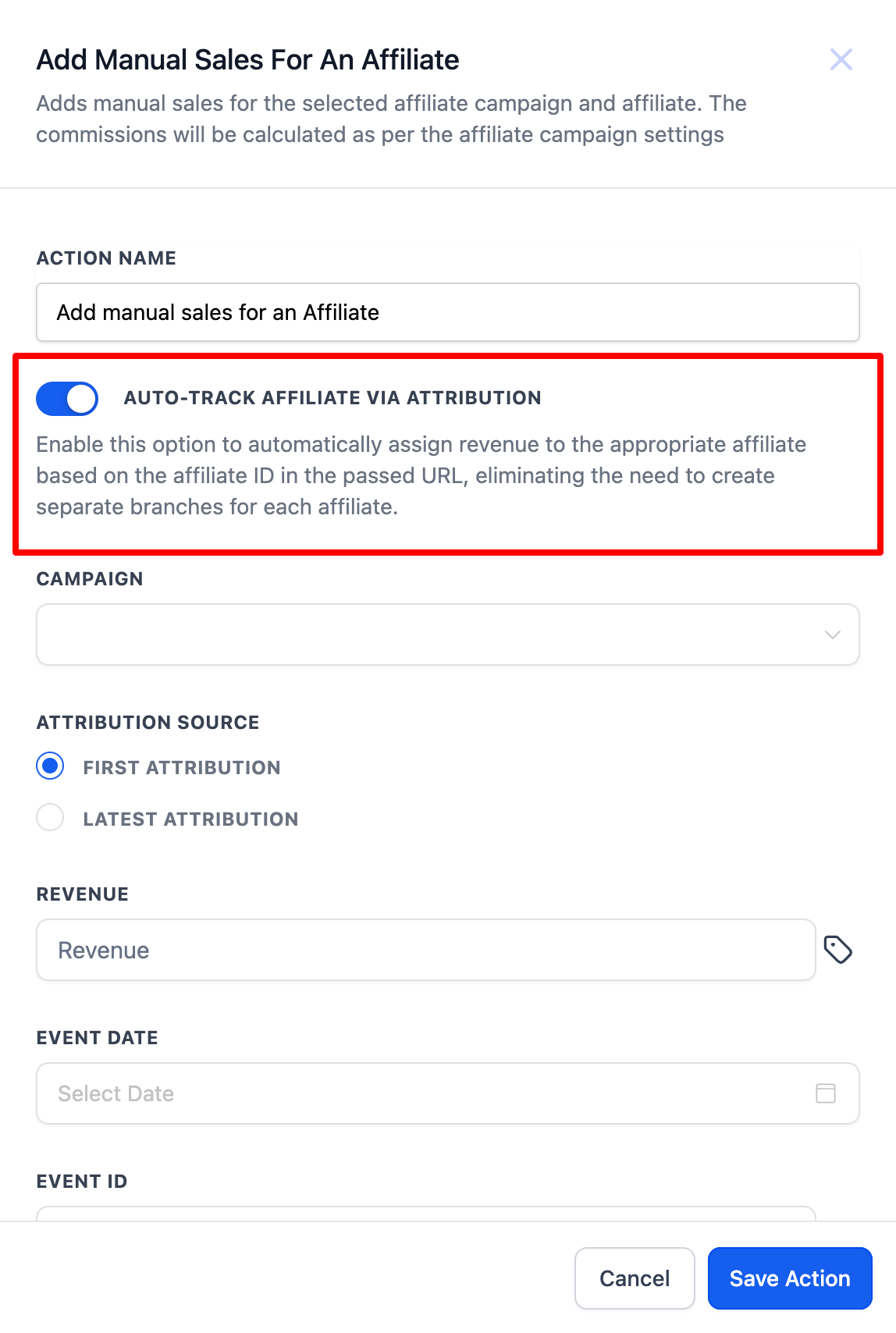
- Enable this option to automatically track and assign sales to the correct affiliate based on the affiliate ID passed in the URL.
- Select the Affiliate Campaign
- Choose the relevant affiliate campaign from the dropdown list.
- Enter Revenue and Details
- Input the sales amount, transaction details, and optionally add the event date and transaction ID.
- Save Action
Note on Attribution:First Attributioncaptures the first time a contact interacts with the system (e.g., filling out a form).Latest Attributionrecords the most recent interaction (e.g., making a purchase).

The latest attribution updates with each new session, while the first attribution remains fixed.
How to Use "Add Manual Sales For An Affiliate" Without Attribution Tracking
- Select "Add Manual Sales For An Affiliate" Action
- Start by selecting this action in your workflow.
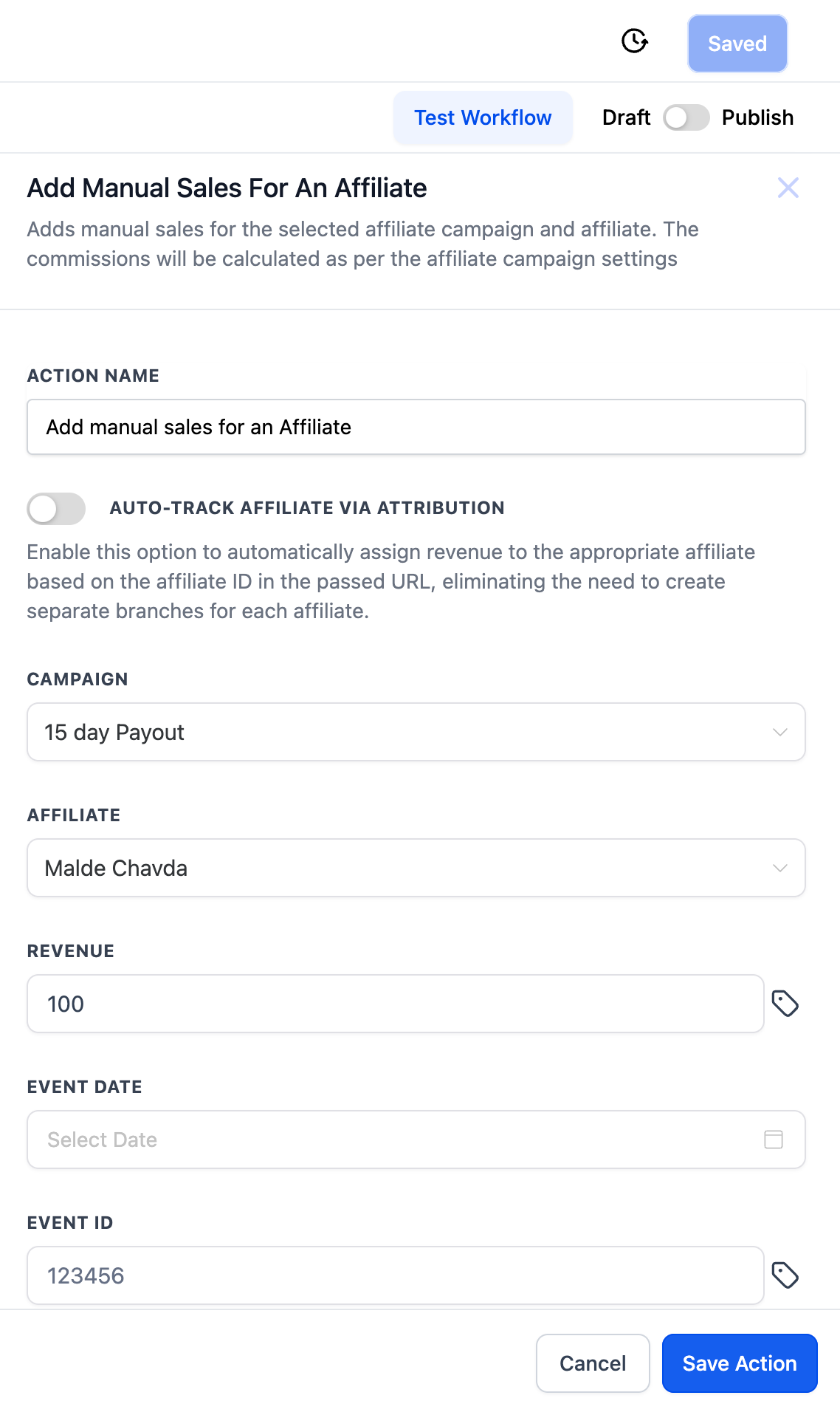
- Choose the Affiliate Campaign and Affiliate
- After selecting the campaign, the dropdown will display only the affiliates linked to that campaign.
- Enter Revenue and Details
- Input the sales/revenue amount and other optional details like the event date and transaction ID.
- Save Action
By using the"Add Manual Sales For An Affiliate"action in workflows, you can automate affiliate sales and commission tracking, providing a seamless and accurate method of rewarding affiliates for their contributions. Whether you’re managing online or offline sales, this workflow feature enhances the flexibility and precision of your affiliate management system.