
Como Usar Duração da Comissão e Comissões Variáveis no Affiliate Manager
Overview
The new Commission Length and Variable Commissions Over Time features allow you to customize how and for how long affiliates are rewarded for recurring product sales.
- Commission Length:Pay affiliates for a limited number of transactions instead of indefinitely.
- Variable Commissions:Offer different commission rates for specific charge counts.
Step 1: Create or Edit an Affiliate Campaign
- If you're new to affiliate campaigns,click here for a guide on creating campaigns.
Step 2: Set the Default Commission
- In Step 2 of the campaign setup, add the default commission value that affiliates will earn by default.
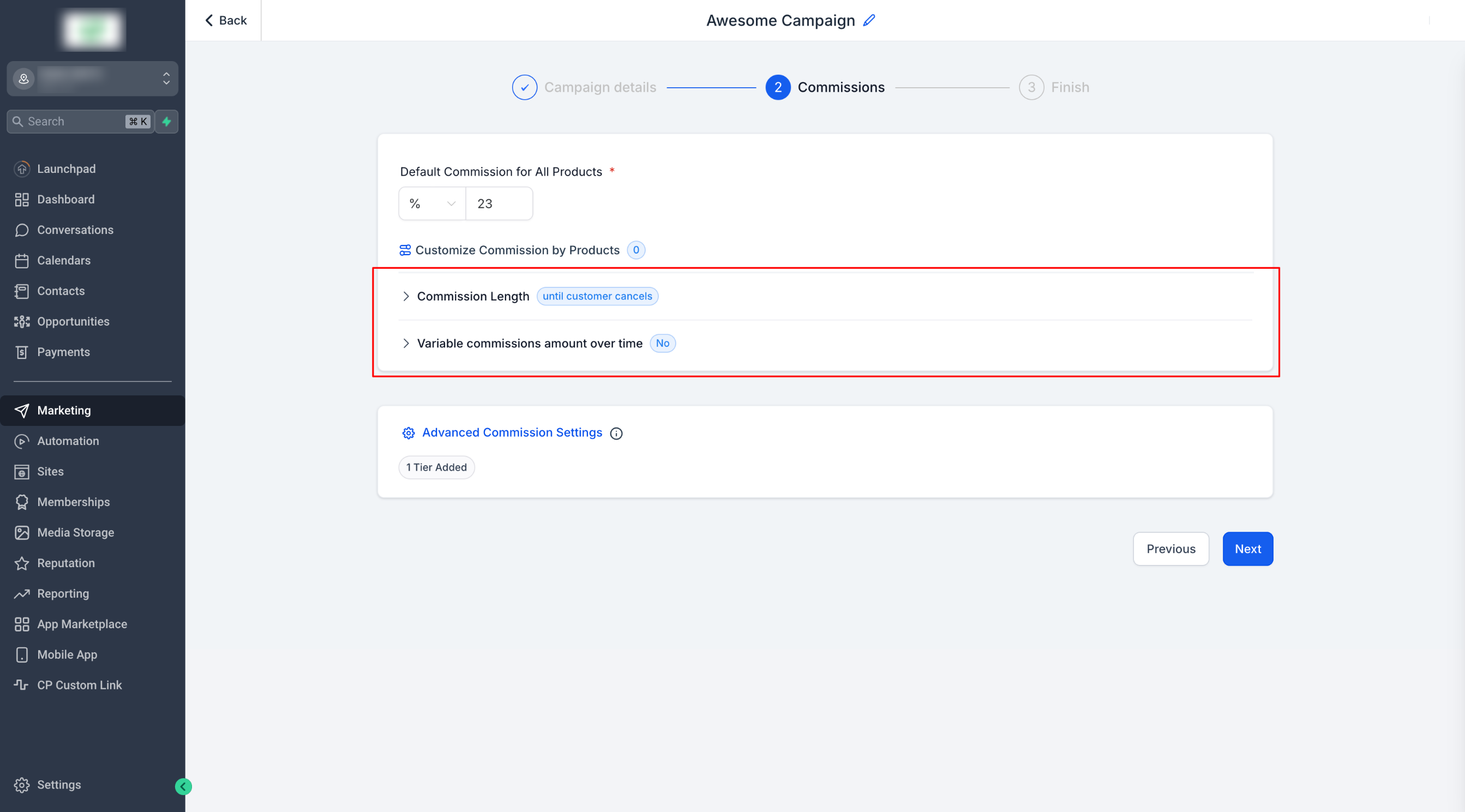
Step 3: Enable Commission Length
- Click Commission Length.
Click Commission Length.
- By default, commissions are given until the customer cancels.
By default, commissions are given until the customer cancels.
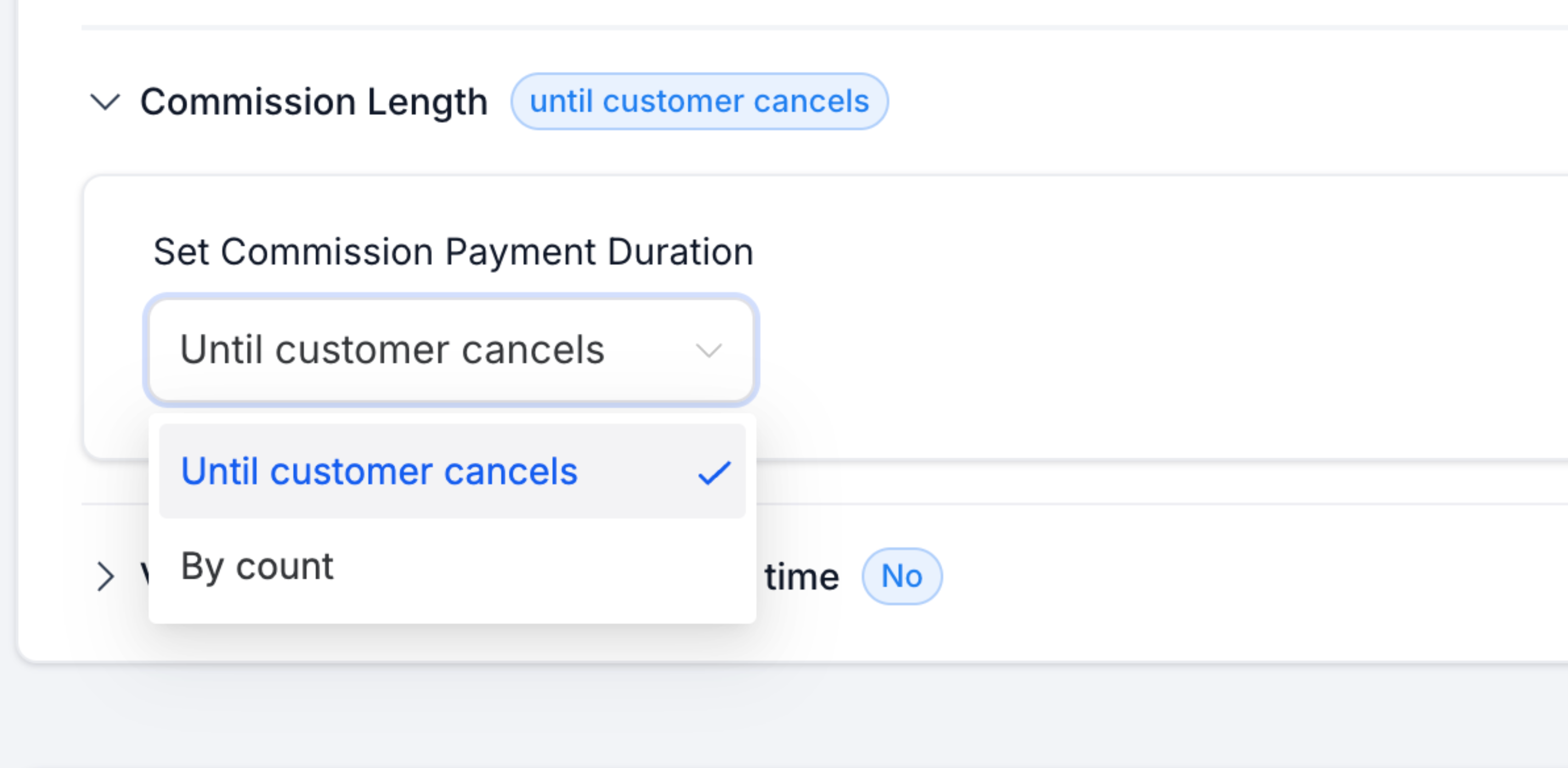
- Choose "By Count" to set a limit on the number of charges.
Choose "By Count" to set a limit on the number of charges.
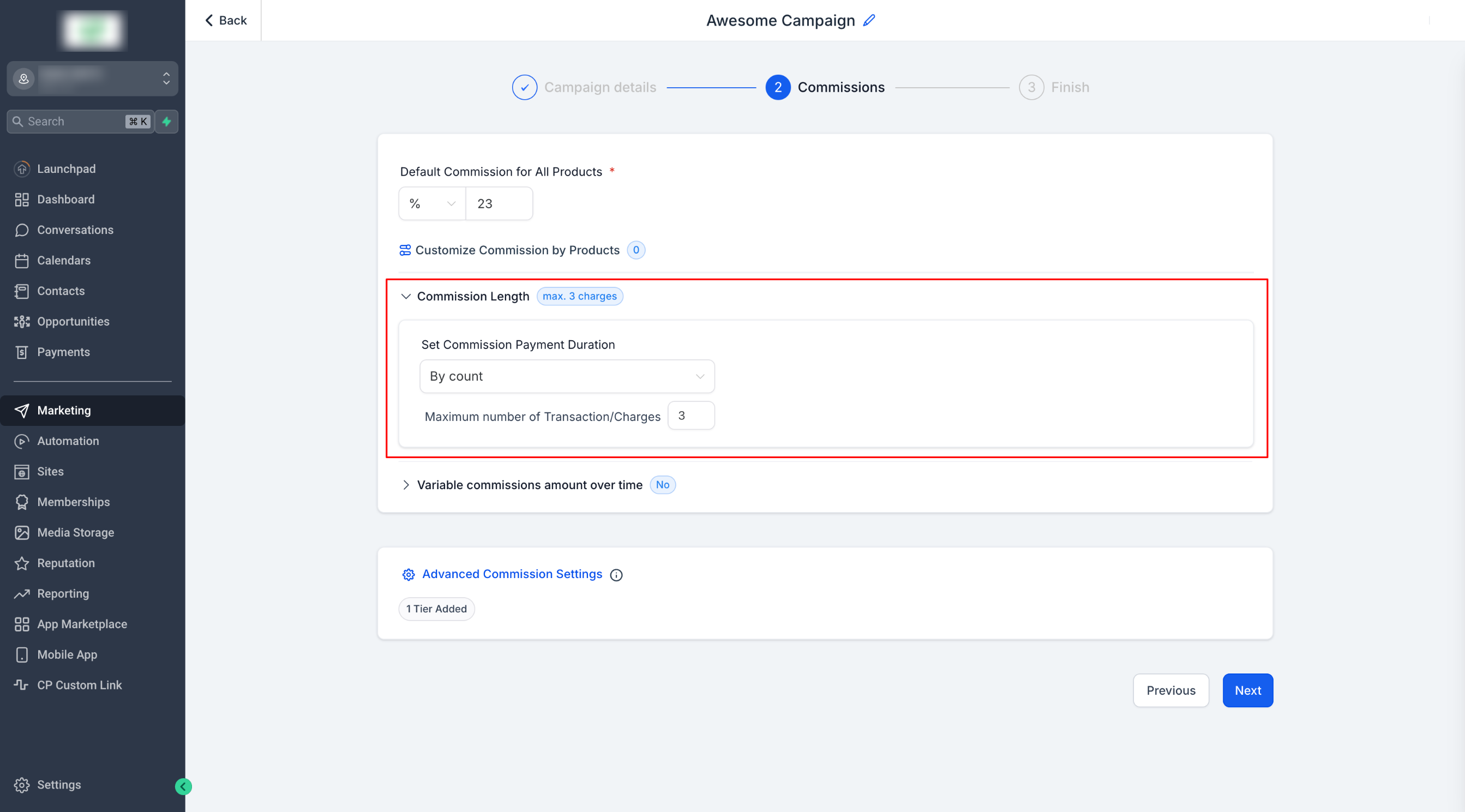
- Example:If the limit is set to 3, the affiliate will earn a commission only for the first 3 charges.
Example:If the limit is set to 3, the affiliate will earn a commission only for the first 3 charges.
- Note:The limit applies to charges, not time intervals. Whether the subscription is monthly or yearly, commissions are based on the number of successful charges.
Note:The limit applies to charges, not time intervals. Whether the subscription is monthly or yearly, commissions are based on the number of successful charges.
Step 4: Set Variable Commissions Over Time
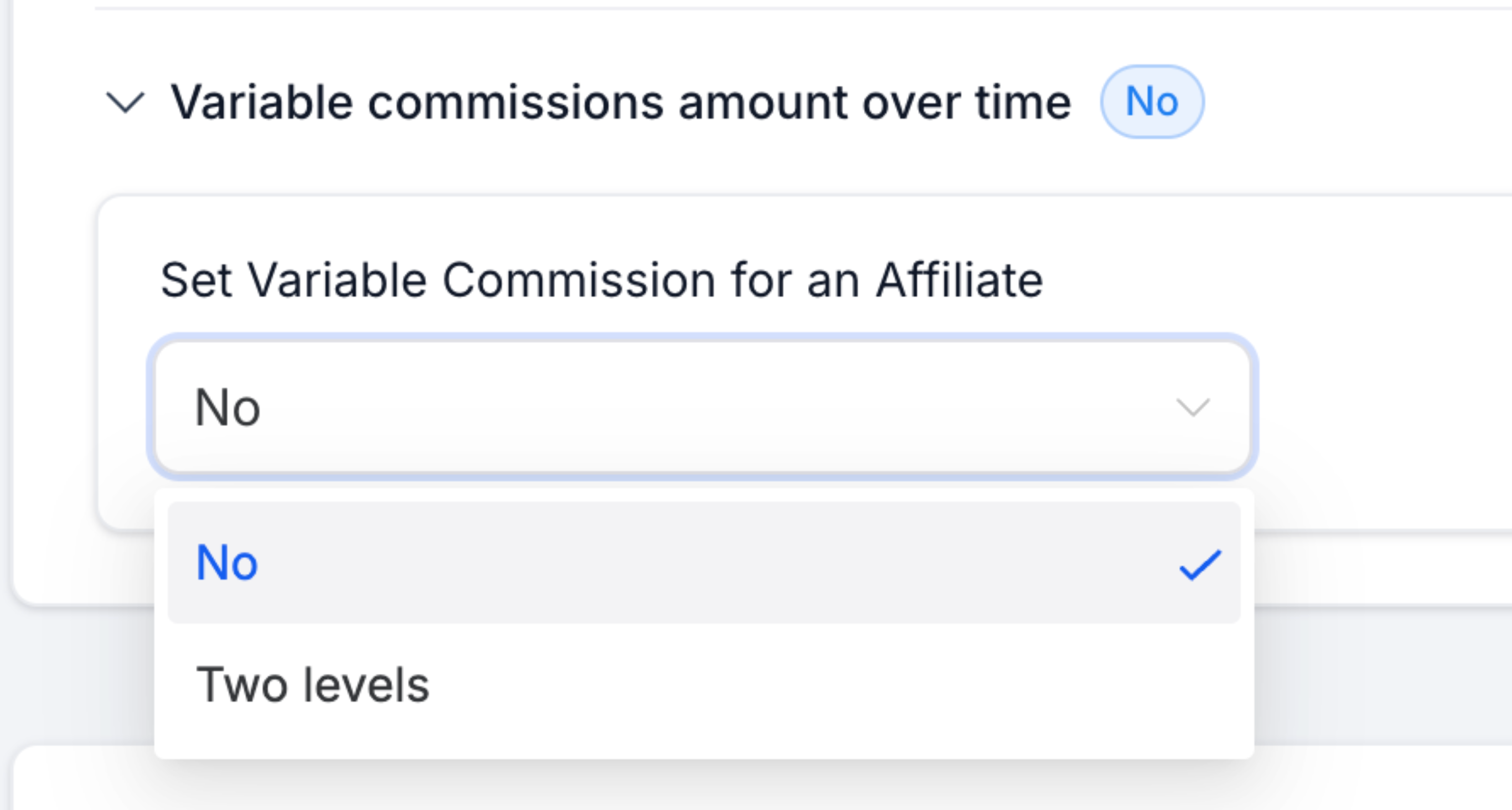
- Toggle Variable Commissions to enable this feature.
Toggle Variable Commissions to enable this feature.
- Select Two Levels to define different rates for specific charge counts
Select Two Levels to define different rates for specific charge counts
- Example:"For the first3[You can configure this number]charges, the commission is33%[You can configure this number]; and23%[This is the default commission]after.
Example:"For the first3[You can configure this number]charges, the commission is33%[You can configure this number]; and23%[This is the default commission]after.
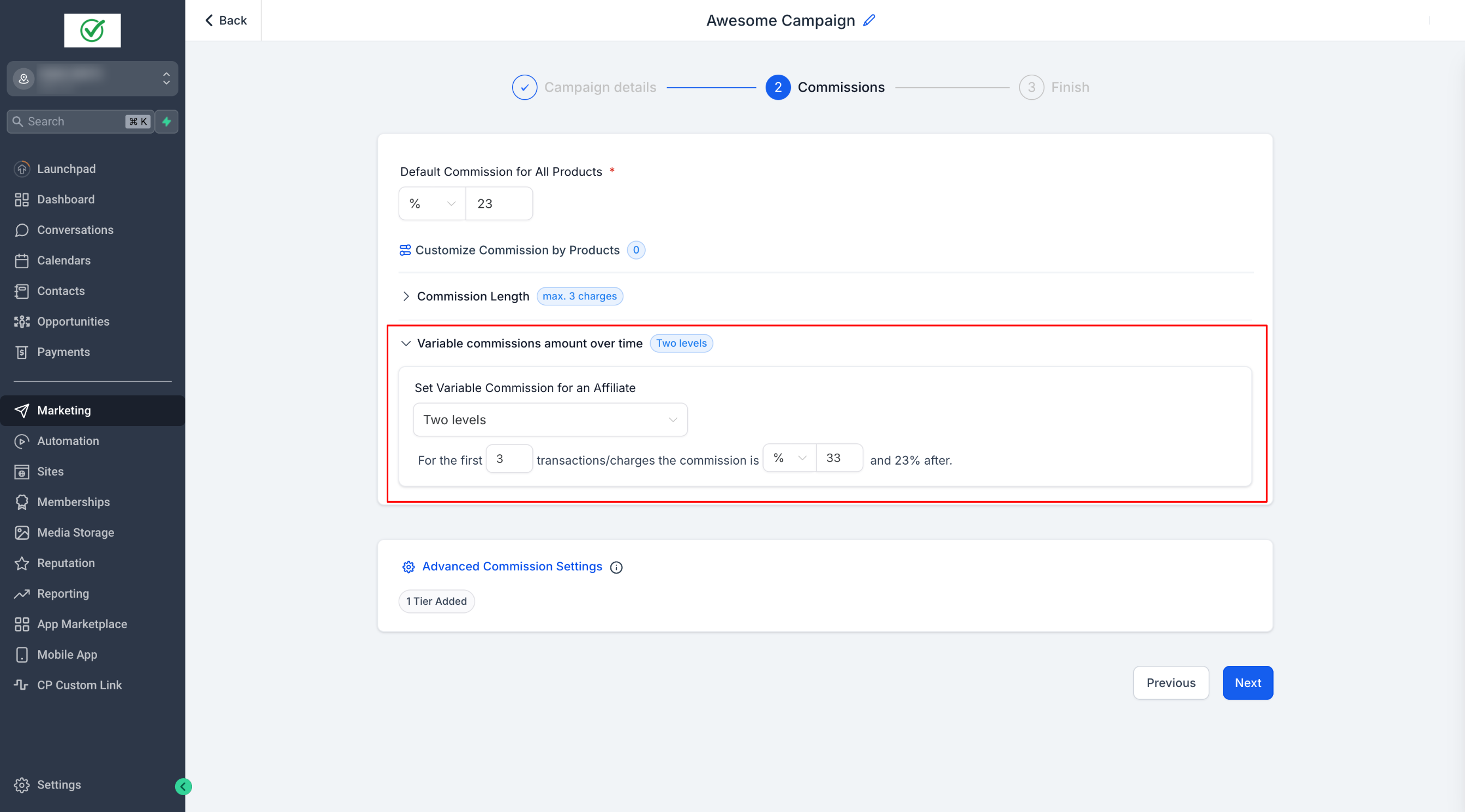
- If needed, configure additional tiers for more granular control.
If needed, configure additional tiers for more granular control.
Step 5: Publish Your Campaign
- Save the campaign, and your updated commission settings will be applied.
Save the campaign, and your updated commission settings will be applied.
Please Note:Commission Priority Order
1. Product-Based Commissions
2. Variable Commissions
3. Default Commissions

This ensures that specific commission settings take precedence over general ones.