
Como criar um Público Personalizado de Lista de Clientes
This article explains the steps to create aCustomer List Custom Audiencein Ad Manager and how to use it during campaign creation, including the option to make audiences static or dynamic when using Smart Lists.
TABLE OF CONTENTS
- Where to find the option to create custom audiencesDuring Campaign CreationFrom Ad Manager Settings
- During Campaign Creation
- From Ad Manager Settings
- What is a Customer List Custom Audience?OverviewKey OfferingsBenefits
- Overview
- Key Offerings
- Benefits
- How to create a Customer List Custom Audience1. CSV Upload2. Use Smart Lists (Static vs Dynamic)Static AudienceDynamic Audience
- 1. CSV Upload
- 2. Use Smart Lists (Static vs Dynamic)
- Static Audience
- Dynamic Audience
- Important Notes
Where to find the option to create custom audiences
Custom audiences can be created in two ways in Ad Manager:
- During Campaign CreationAt the ad set level > underAudience Controls, go to theIntended Audiencesection.Under theRetargetingtab, click the dropdown for “Create new or select retargeting audience” and chooseCreate a Custom Audience.
During Campaign Creation
- At the ad set level > underAudience Controls, go to theIntended Audiencesection.
At the ad set level > underAudience Controls, go to theIntended Audiencesection.
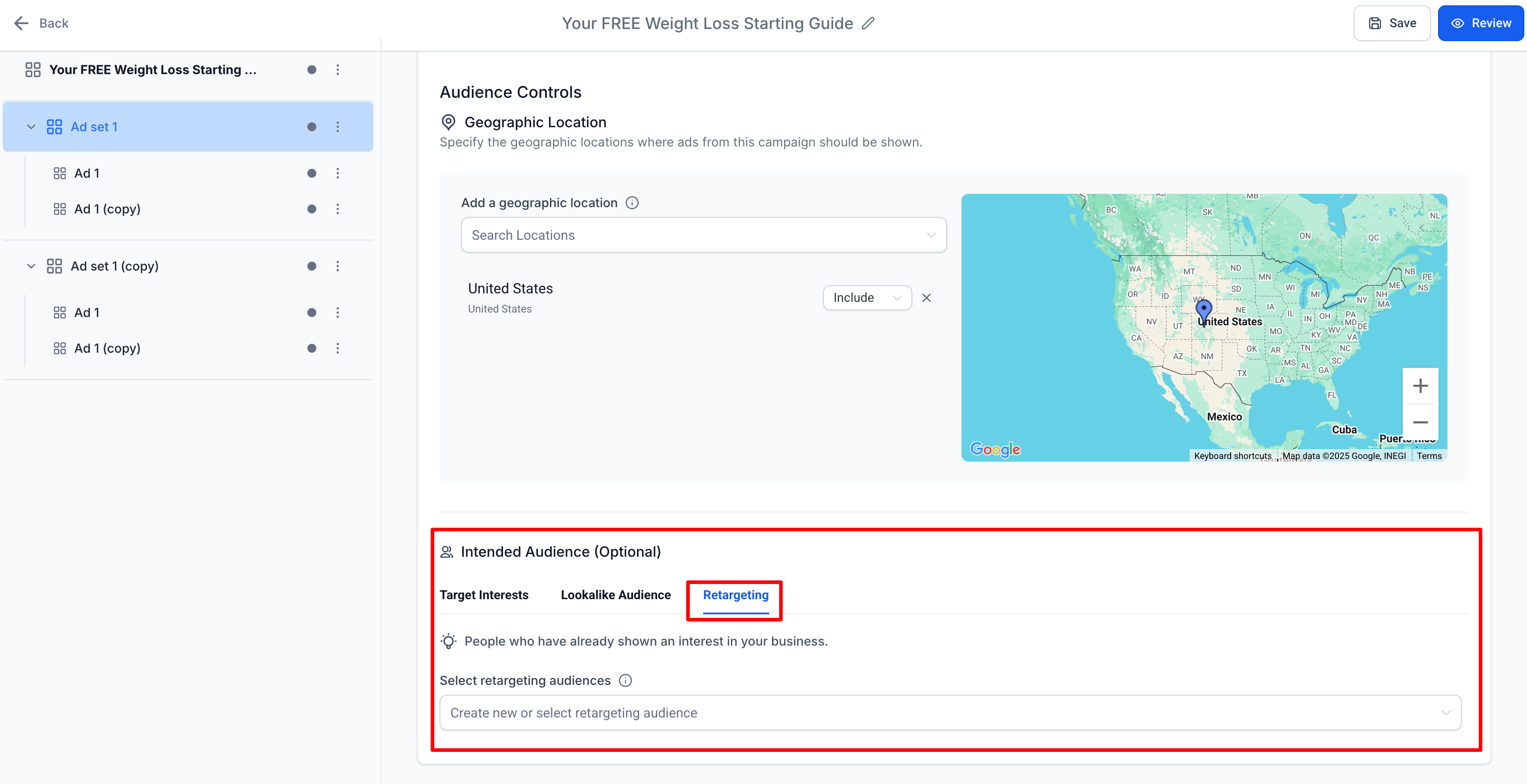
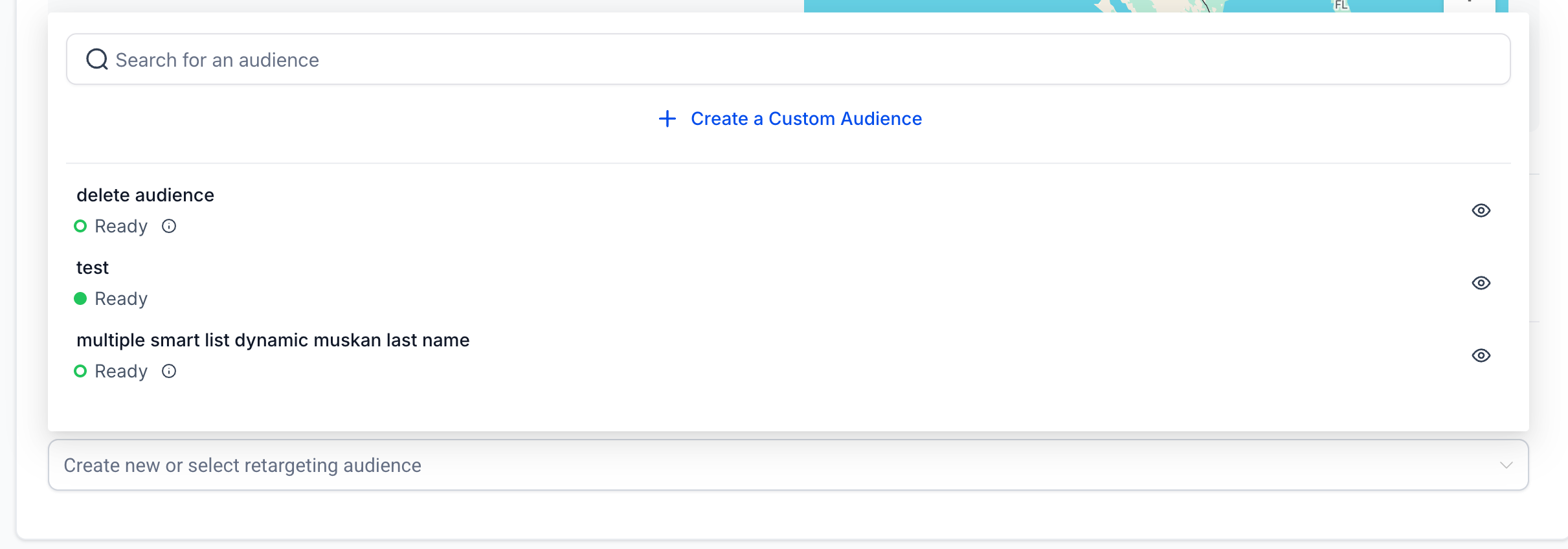
- Under theRetargetingtab, click the dropdown for “Create new or select retargeting audience” and chooseCreate a Custom Audience.
Under theRetargetingtab, click the dropdown for “Create new or select retargeting audience” and chooseCreate a Custom Audience.
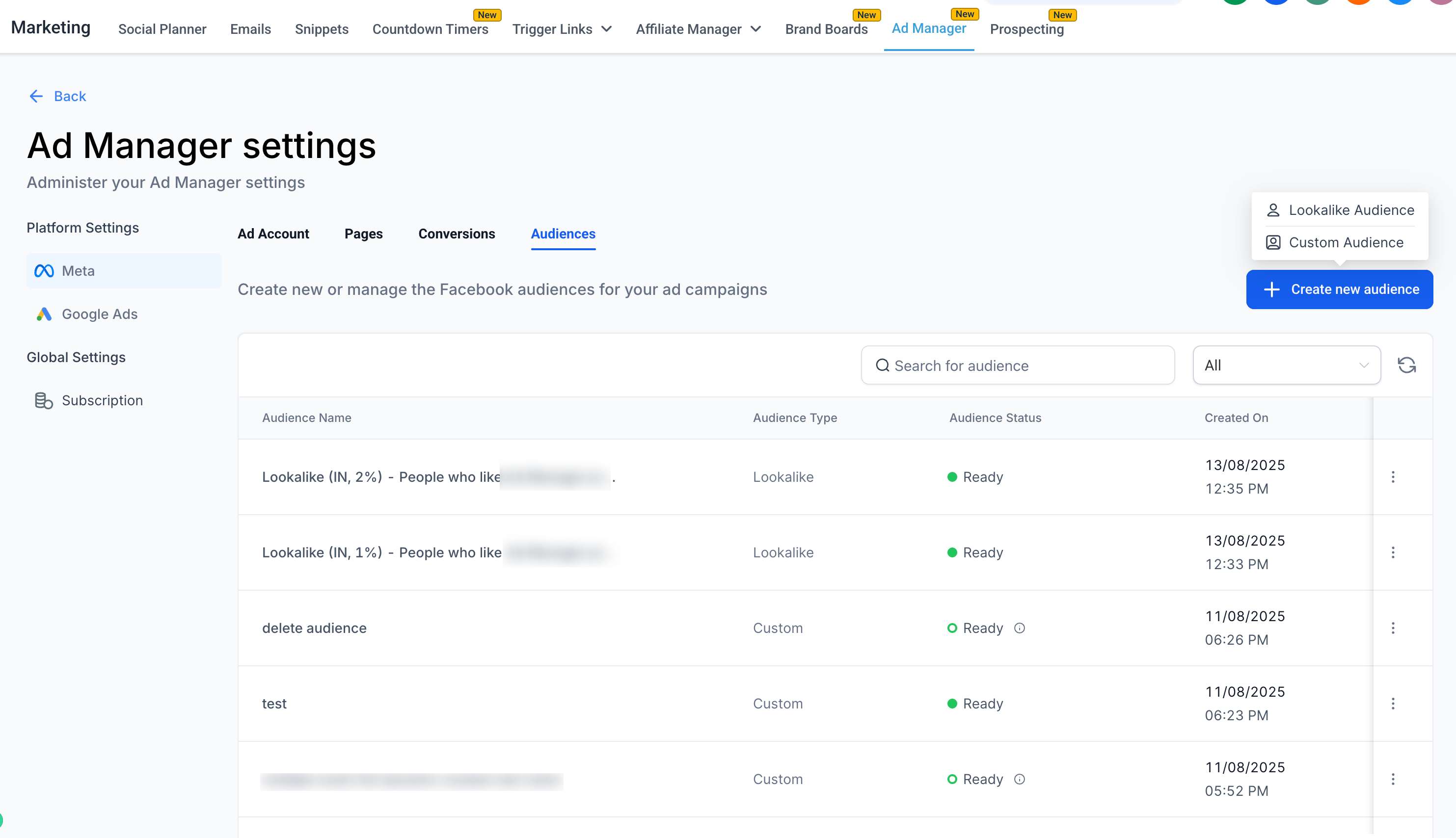
- From Ad Manager SettingsNavigate toAd Manager Settings > Meta Audiences tabto create audiences in advance for future campaigns.
From Ad Manager Settings
- Navigate toAd Manager Settings > Meta Audiences tabto create audiences in advance for future campaigns.
Navigate toAd Manager Settings > Meta Audiences tabto create audiences in advance for future campaigns.
What is a Customer List Custom Audience?
Overview
A Meta Customer List Custom Audience lets you use your own customer data (emails, phone numbers, etc.) in Ad Manager to reach specific individuals on Facebook and Instagram. The data is matched to user profiles so you can deliver targeted ads.
Key Offerings
- Audience Creation:Build a list from your own customer data sources such as website sign-ups, CRM records, or purchase history.
Audience Creation:Build a list from your own customer data sources such as website sign-ups, CRM records, or purchase history.
- Data Matching:Meta matches your data with its user profiles.
Data Matching:Meta matches your data with its user profiles.
- Ad Targeting:Deliver highly relevant ads to matched customers.
Ad Targeting:Deliver highly relevant ads to matched customers.
- Privacy & Compliance:Fully compliant with privacy regulations like GDPR.
Privacy & Compliance:Fully compliant with privacy regulations like GDPR.
- Audience Segmentation:Target groups like recent buyers or high-value customers.
Audience Segmentation:Target groups like recent buyers or high-value customers.
- Lookalike Audiences:Reach new people similar to your existing customers.
Lookalike Audiences:Reach new people similar to your existing customers.
- Customer List Format:Requires CSV format with valid identifiers.
Customer List Format:Requires CSV format with valid identifiers.
Benefits
- Precisely target existing customers.
Precisely target existing customers.
- Improve ad relevance and campaign performance.
Improve ad relevance and campaign performance.
- Re-engage past customers and encourage repeat business.
Re-engage past customers and encourage repeat business.
How to create a Customer List Custom Audience
Creating a Customer List Custom Audience is a two-step process:
- ClickCreate a Custom Audience(in the campaign flow or from the Audiences tab).
ClickCreate a Custom Audience(in the campaign flow or from the Audiences tab).
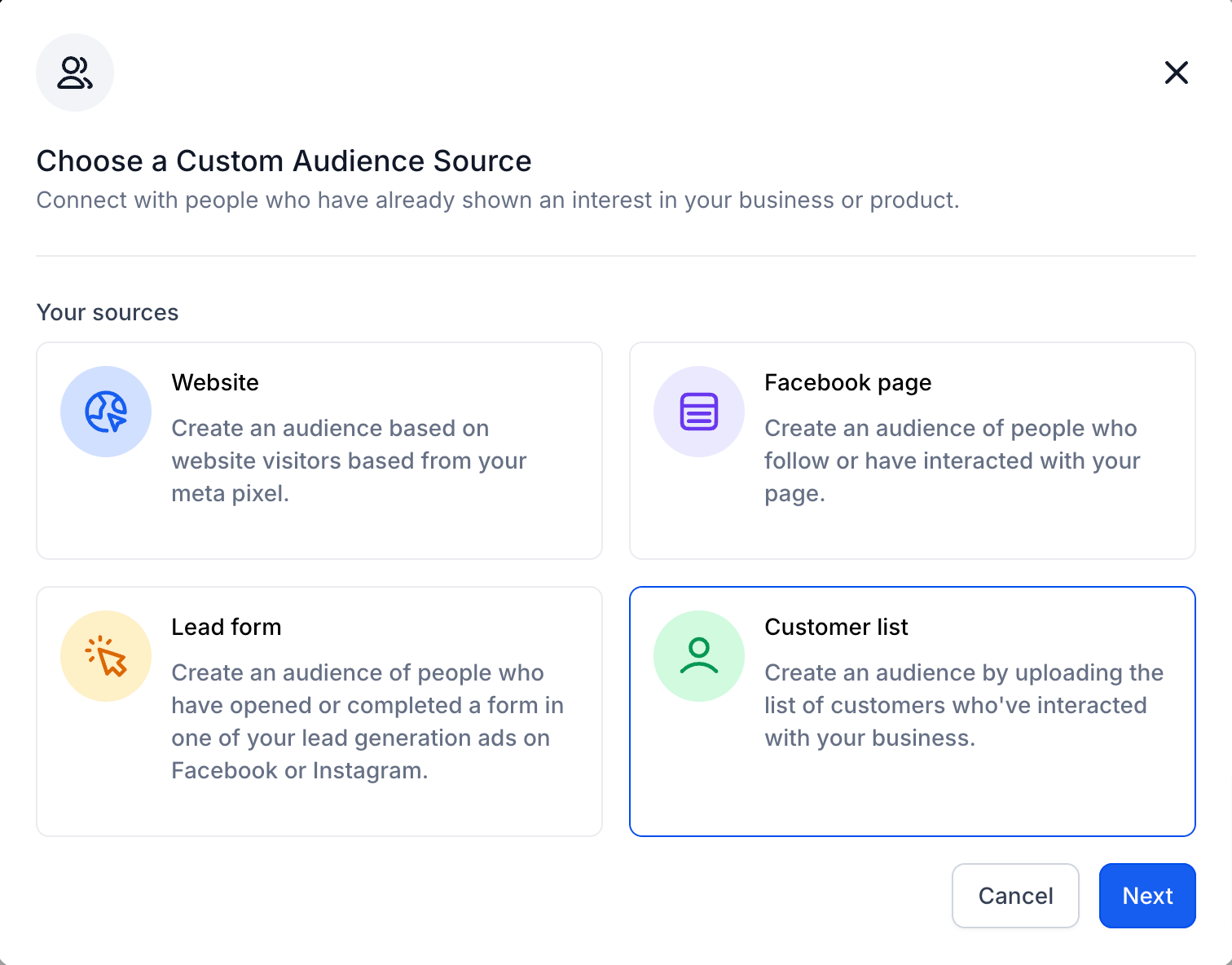
- SelectCustomer Listas the source and proceed.
SelectCustomer Listas the source and proceed.

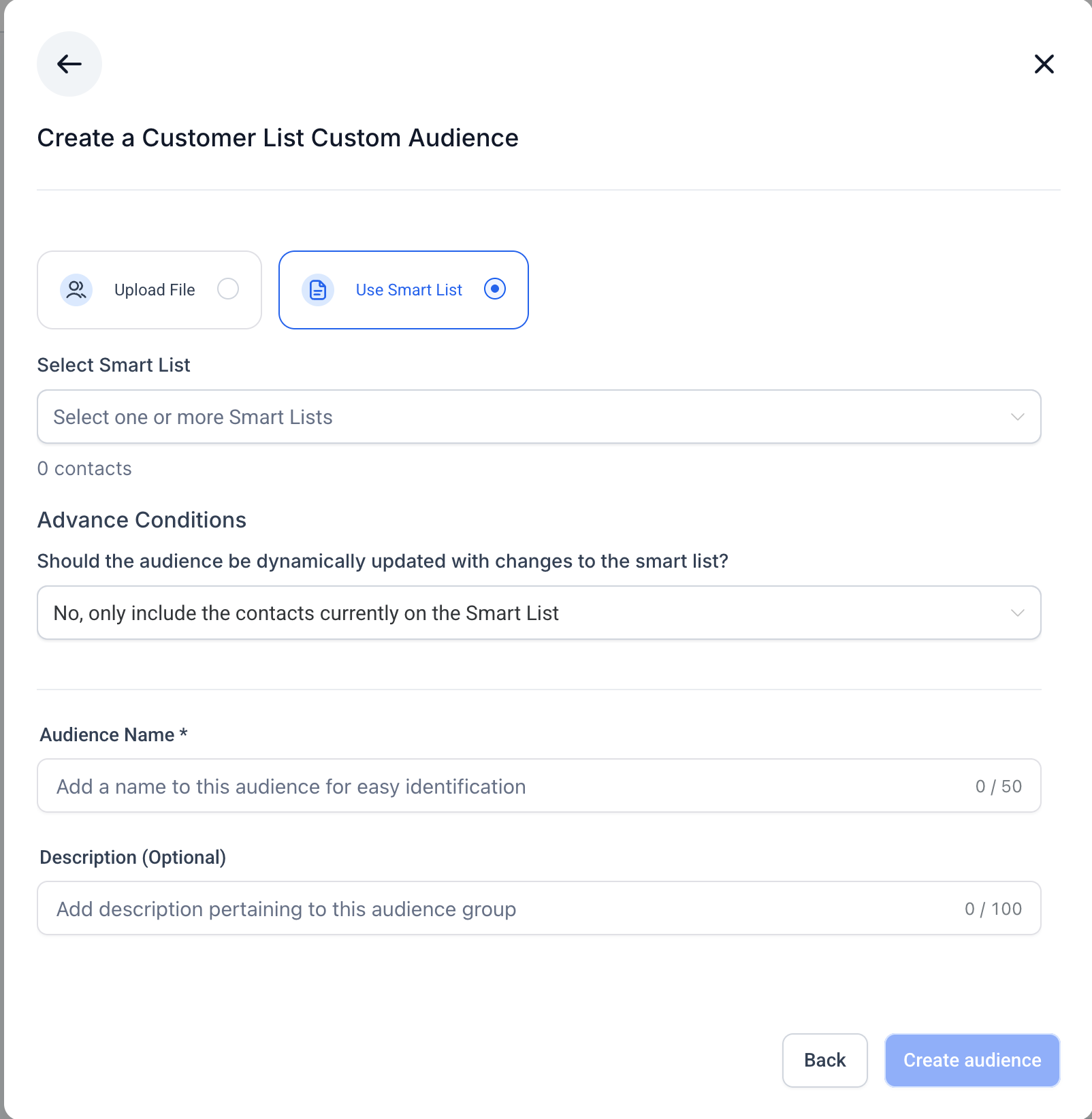
You have two methods to add customers to the audience:
1. CSV Upload
- Upload your CSV file containing customer data.
Upload your CSV file containing customer data.
- FollowMeta’s formatting guidelines.
FollowMeta’s formatting guidelines.
- Use the provided sample file to prepare your data correctly.
Use the provided sample file to prepare your data correctly.
2. Use Smart Lists (Static vs Dynamic)
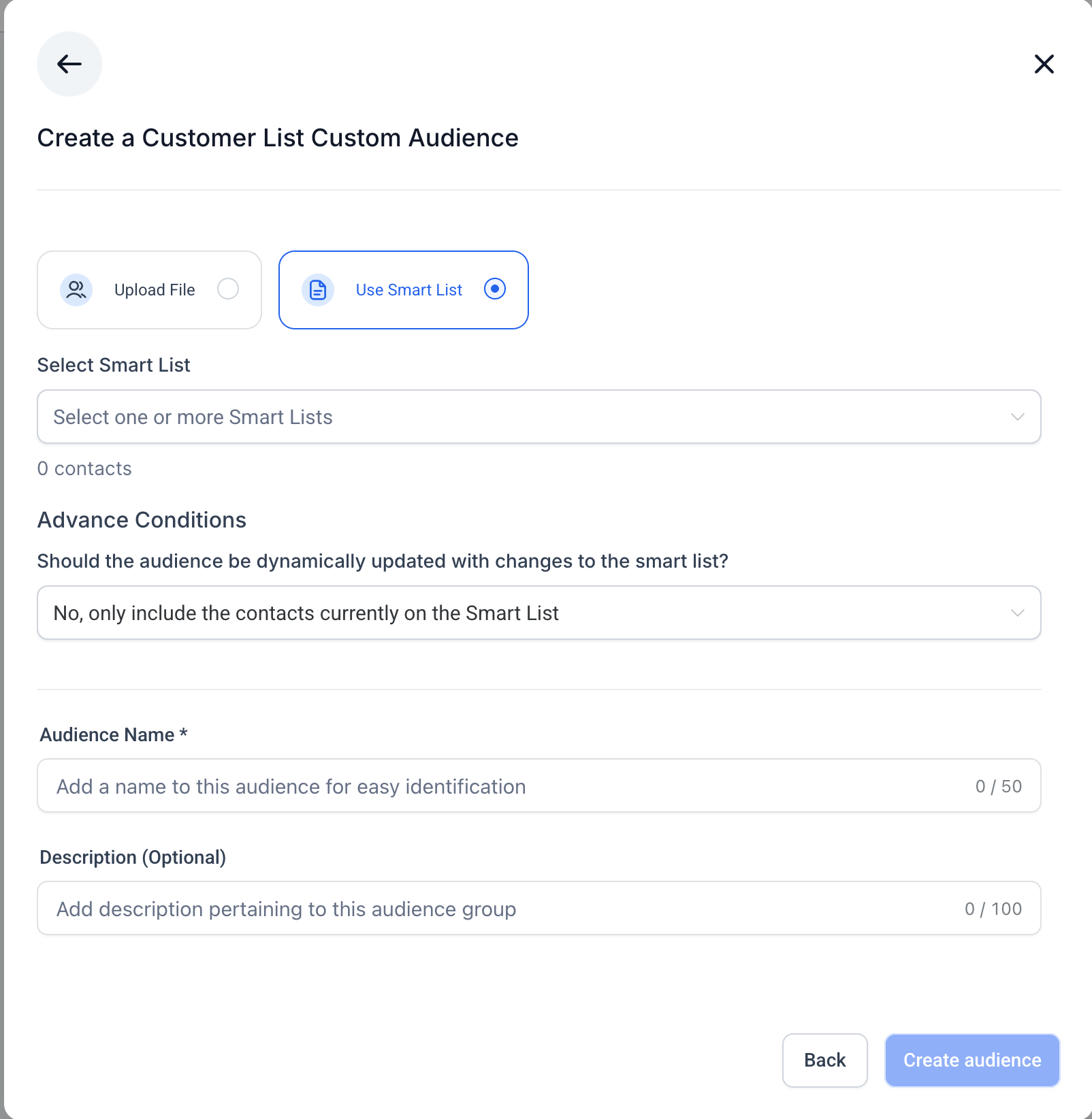
When creating a Customer List Custom Audience from Smart Lists, you can choose whether the audience should remain fixed at creation time (static) or update automatically when the Smart List changes (dynamic).
Static Audience
- Includes only the contacts present in the selected Smart List(s) at the time of audience creation.
Includes only the contacts present in the selected Smart List(s) at the time of audience creation.
- Does not update if contacts are added or removed later.
Does not update if contacts are added or removed later.
- Ideal for controlled targeting or scenarios where you need a fixed audience.
Ideal for controlled targeting or scenarios where you need a fixed audience.
Dynamic Audience
- Automatically reflects changes to the Smart List(s).
Automatically reflects changes to the Smart List(s).
- New contacts added to the Smart List are included, and removed contacts are excluded.
New contacts added to the Smart List are included, and removed contacts are excluded.
- Ideal for keeping audiences continuously up to date.
Ideal for keeping audiences continuously up to date.
Steps:
- SelectUse Smart List.
SelectUse Smart List.
- Choose one or more Smart Lists from the dropdown (only pre-created lists from the Contacts section are available).
Choose one or more Smart Lists from the dropdown (only pre-created lists from the Contacts section are available).
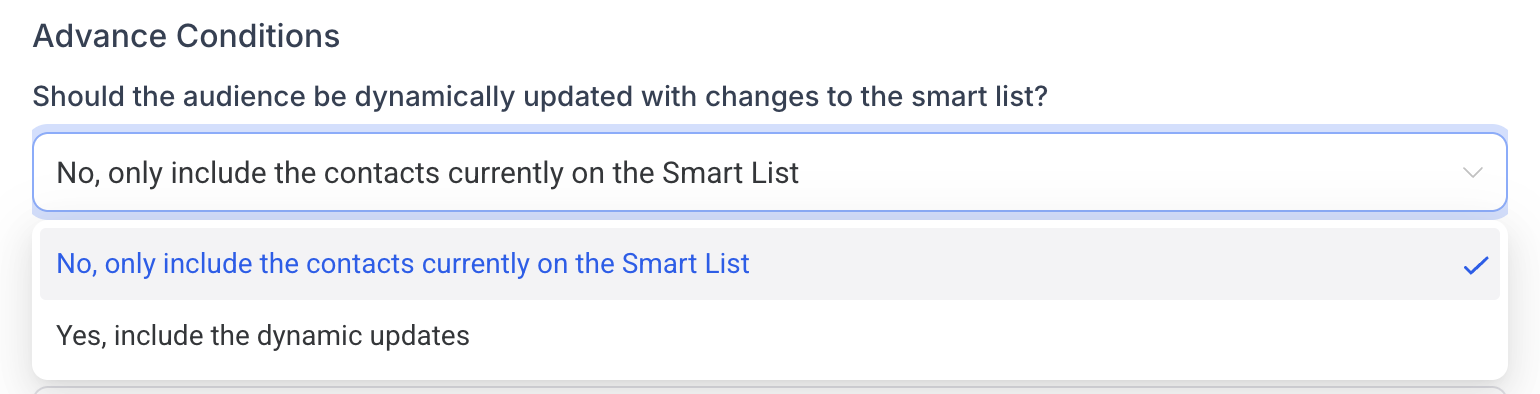
- InAdvanced Conditions, choose:No, only include the contacts currently on the Smart List(Static)Yes, include the dynamic updates(Dynamic)
InAdvanced Conditions, choose:
- No, only include the contacts currently on the Smart List(Static)
No, only include the contacts currently on the Smart List(Static)
- Yes, include the dynamic updates(Dynamic)
Yes, include the dynamic updates(Dynamic)
- Review the total contacts count.
Review the total contacts count.
- Add an audience name and optional description.
Add an audience name and optional description.
- ClickCreate Audience,the summary will display whether the audience is static or dynamic.
ClickCreate Audience,the summary will display whether the audience is static or dynamic.
Important Notes
- Minimum audience size requirements apply for campaign use.
Minimum audience size requirements apply for campaign use.
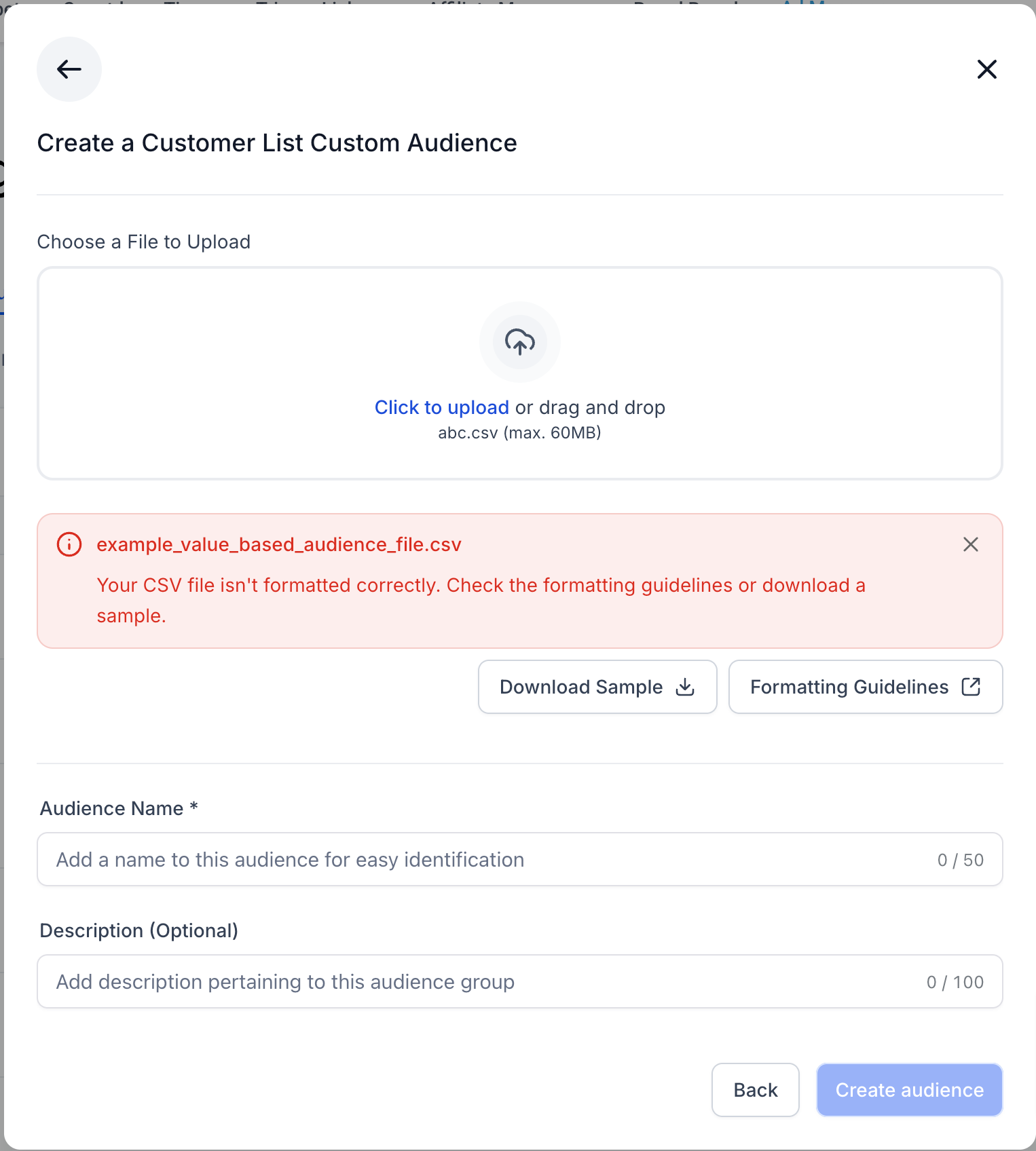
- For CSV uploads, incorrect formatting will cause an upload error.
For CSV uploads, incorrect formatting will cause an upload error.
- For Smart List audiences, the static/dynamic choice determines how the audience behaves after creation.
For Smart List audiences, the static/dynamic choice determines how the audience behaves after creation.
- Before creating an audience, you must accept Meta’sCustomer List Custom Audience Terms of Service.
Before creating an audience, you must accept Meta’sCustomer List Custom Audience Terms of Service.
- Once created and ready, the audience appears in theRetargeting Audiencedropdown and in theAudiencestab.
Once created and ready, the audience appears in theRetargeting Audiencedropdown and in theAudiencestab.