
Como criar um formulário de conversa no Ad Manager
In this article we will discuss in detail about the steps to be taken to create a new conversation form, used for the Engagement objective of Meta ads.
TABLE OF CONTENTS
- How to create and use a Conversation FormSteps to create a new conversation formSetting Up the Conversation Form
- Steps to create a new conversation form
- Setting Up the Conversation Form
How to create and use a Conversation Form
In Ad Manager, while creating a Meta Ad Campaign and selecting objective asEngagementallows you to create a new or select a pre-created Conversation Form.To enhance engagement and improve lead collection, you can set up aConversation Formthat appears when users click on your ad.
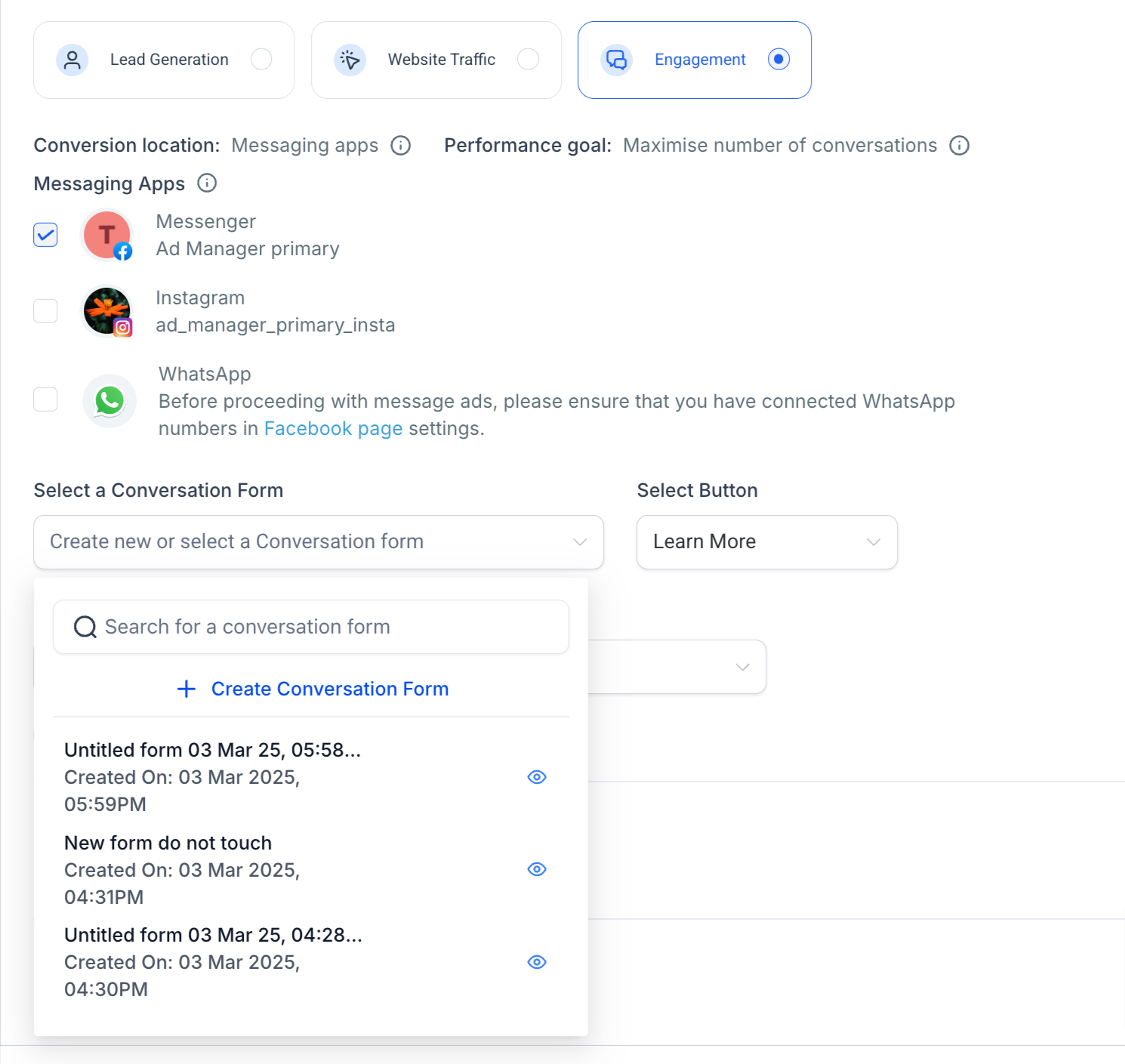
Stepsto create a new conversation form
- Click on the dropdown of create new or select a Conversation form
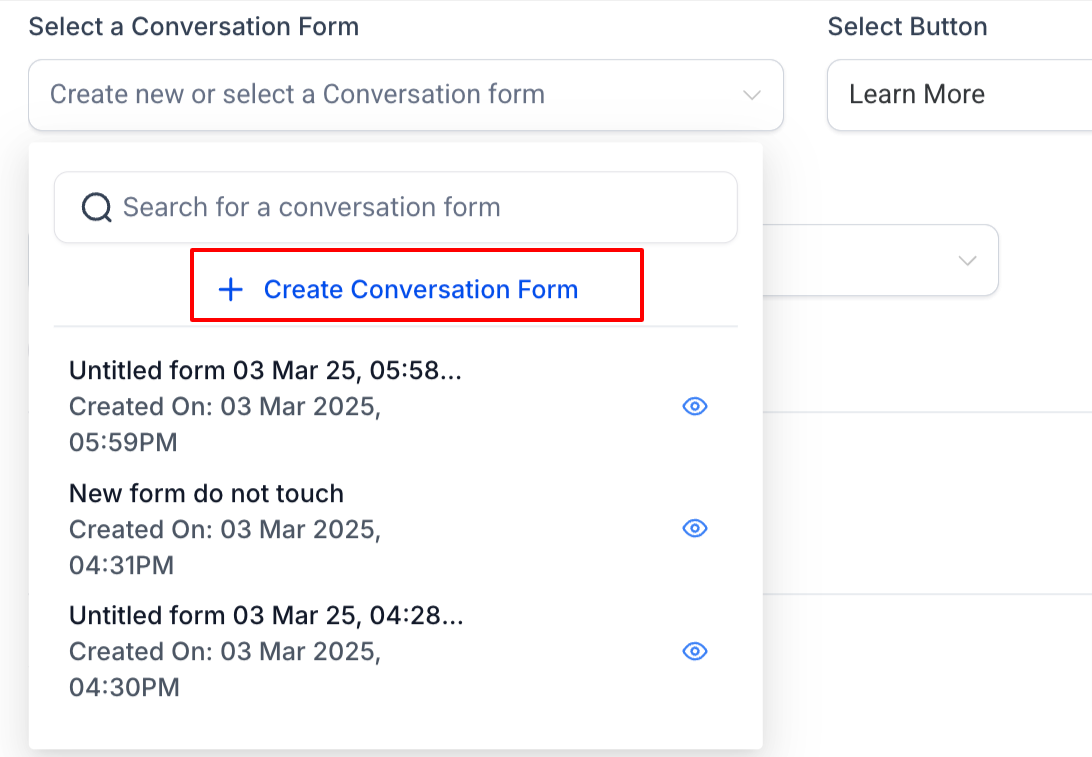
- Click on 'Create Conversation Form'
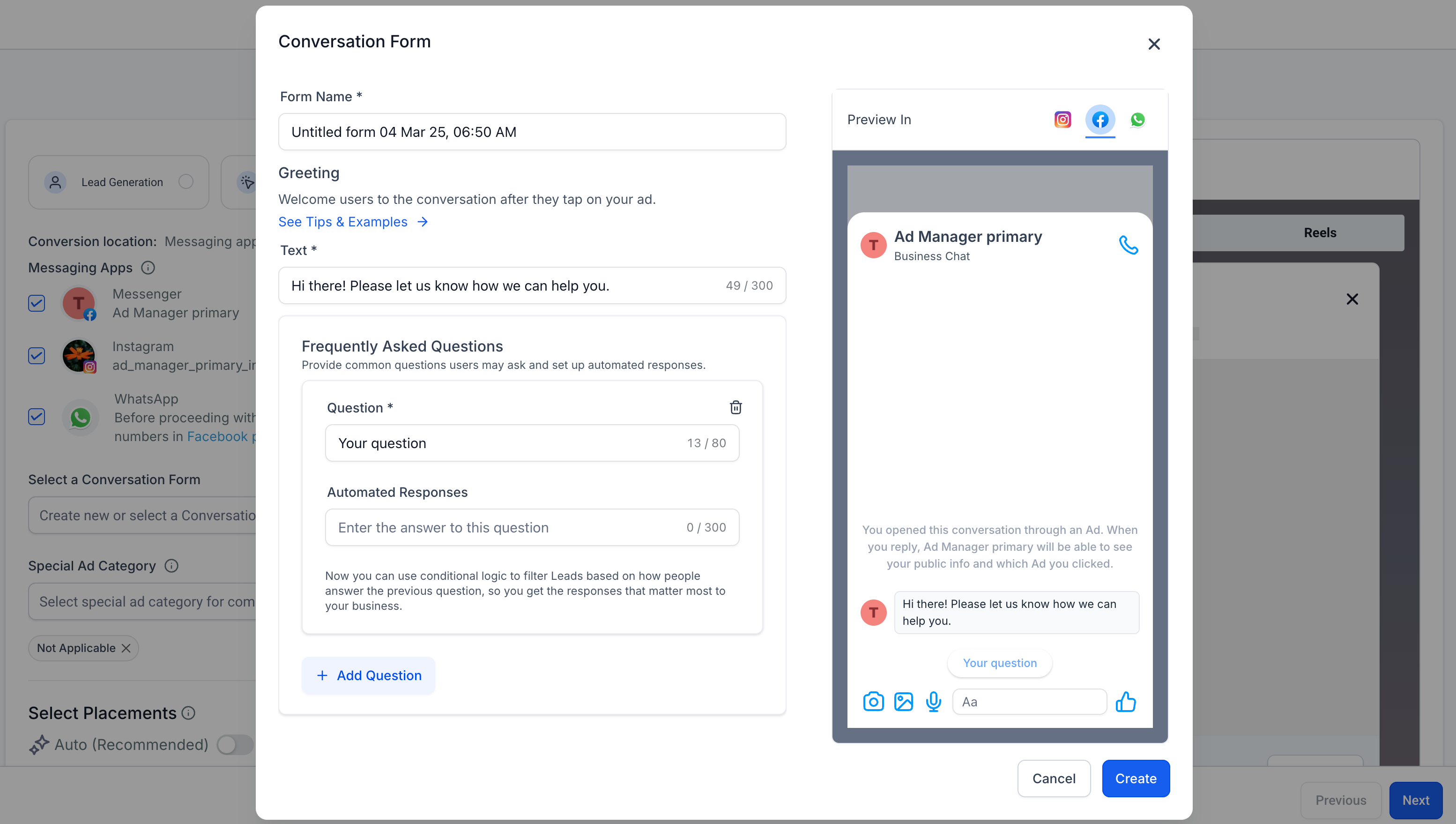
- A dialog opens up to key in the form definitions.
Setting Up the Conversation Form
- Add theNameof the Conversation form.
- Welcome Message/Greeting:Write a friendlygreeting messagethat appears when users click on the CTA button, say "Send Message."Example:"Hi! Thanks for reaching out. How can we assist you today?"
- Write a friendlygreeting messagethat appears when users click on the CTA button, say "Send Message."
- Example:"Hi! Thanks for reaching out. How can we assist you today?"
- Add FAQs or Quick Replies:Set up 3-5 commonquestions or optionsusers can tap on.Example:"Tell me about your services""Do you offer discounts?""How can I contact support?"
- Set up 3-5 commonquestions or optionsusers can tap on.
- Example:"Tell me about your services""Do you offer discounts?""How can I contact support?"
- "Tell me about your services"
- "Do you offer discounts?"
- "How can I contact support?"
- Set Up Automated Responses:Provide answers to FAQs automatically.Example: If a user clicks"Tell me about your services", an automated response can say:"We offer a range of services, including XYZ. Would you like to speak with a representative?"
- Provide answers to FAQs automatically.
- Example: If a user clicks"Tell me about your services", an automated response can say:"We offer a range of services, including XYZ. Would you like to speak with a representative?"
- Save and Apply the Form:ClickCreateto save the newly created conversation form.Ensure it is linked to the ad.
- ClickCreateto save the newly created conversation form.
- Ensure it is linked to the ad.
Notes:1.Specific preview of how your conversation form will look like can be seen on the form preview screen for each messaging app.2.The Preview section is dynamic and will show the preview of only those messaging apps that are selected for the engagement ad campaign.