
Gerenciador de Afiliados da Sub-account: Ações em Massa para Comissões de Afiliados
This article explains how to use the new Bulk Actions feature in the Affiliate Manager to approve, deny, or delete multiple commissions at once. This update improves efficiency, especially during high-volume payout periods or when managing multiple affiliates.
TABLE OF CONTENTS
- What is Bulk Actions for Affiliate Commissions?
- Key Benefits of Bulk Actions for Affiliate Commissions
- How To Use Bulk Actions in the Affiliate Profile
- How To Use Bulk Actions from the Dashboard
- Filtering Commissions by Status and Campaign
- Frequently Asked Questions
What is Bulk Actions for Affiliate Commissions?
Bulk Actions for Affiliate Commissions allow you to manage multiple commission records at once—directly from the affiliate profile or the main commissions dashboard. This eliminates the need for repetitive, individual approvals or deletions and helps you save valuable time.
Key Benefits of Bulk Actions for Affiliate Commissions
Manage commissions faster with less effort by using these new bulk tools.
- Approve, deny, or delete multiple commissions at once
Approve, deny, or delete multiple commissions at once
- Access bulk actions from both the affiliate profile and main dashboard
Access bulk actions from both the affiliate profile and main dashboard
- Save time during high-volume commission reviews or payouts
Save time during high-volume commission reviews or payouts
- Filter commissions by status (approved, pending, denied) or campaign
Filter commissions by status (approved, pending, denied) or campaign
- Reduce manual admin work and repetitive clicks
Reduce manual admin work and repetitive clicks
- Improve affiliate management efficiency for teams and agencies
Improve affiliate management efficiency for teams and agencies
How To Use Bulk Actions in the Affiliate Profile
Bulk actions help streamline the process of managing commissions. This section walks you through the exact steps.
- Go toAffiliate ManagerwithinMarketingsection.
Go toAffiliate ManagerwithinMarketingsection.

- Look for "Affiliate" option under the dropdown menu to see all the affiliates. click on any of the affiliate.
Look for "Affiliate" option under the dropdown menu to see all the affiliates. click on any of the affiliate.
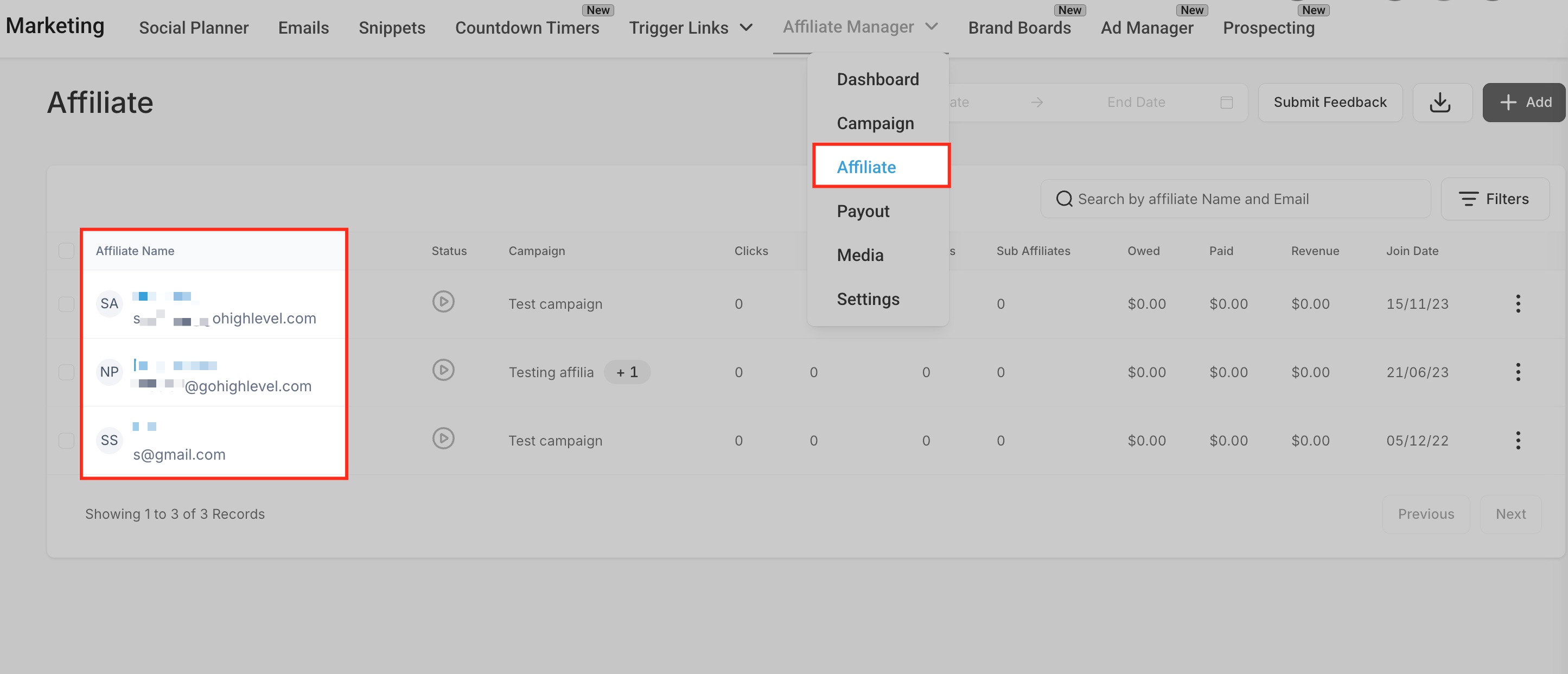
- Once you are inside the affiliate profile, Click theCommissionstab.
Once you are inside the affiliate profile, Click theCommissionstab.

- Use the checkboxes to select one or more commissions.
Use the checkboxes to select one or more commissions.
- Click theBulk Actionsbutton.
Click theBulk Actionsbutton.
- Choose fromApprove,Deny, orDelete.
Choose fromApprove,Deny, orDelete.
How To Use Bulk Actions from the Dashboard
You can also perform the same bulk operations from the global commissions dashboard—ideal for reviewing latest activities across all affiliates.
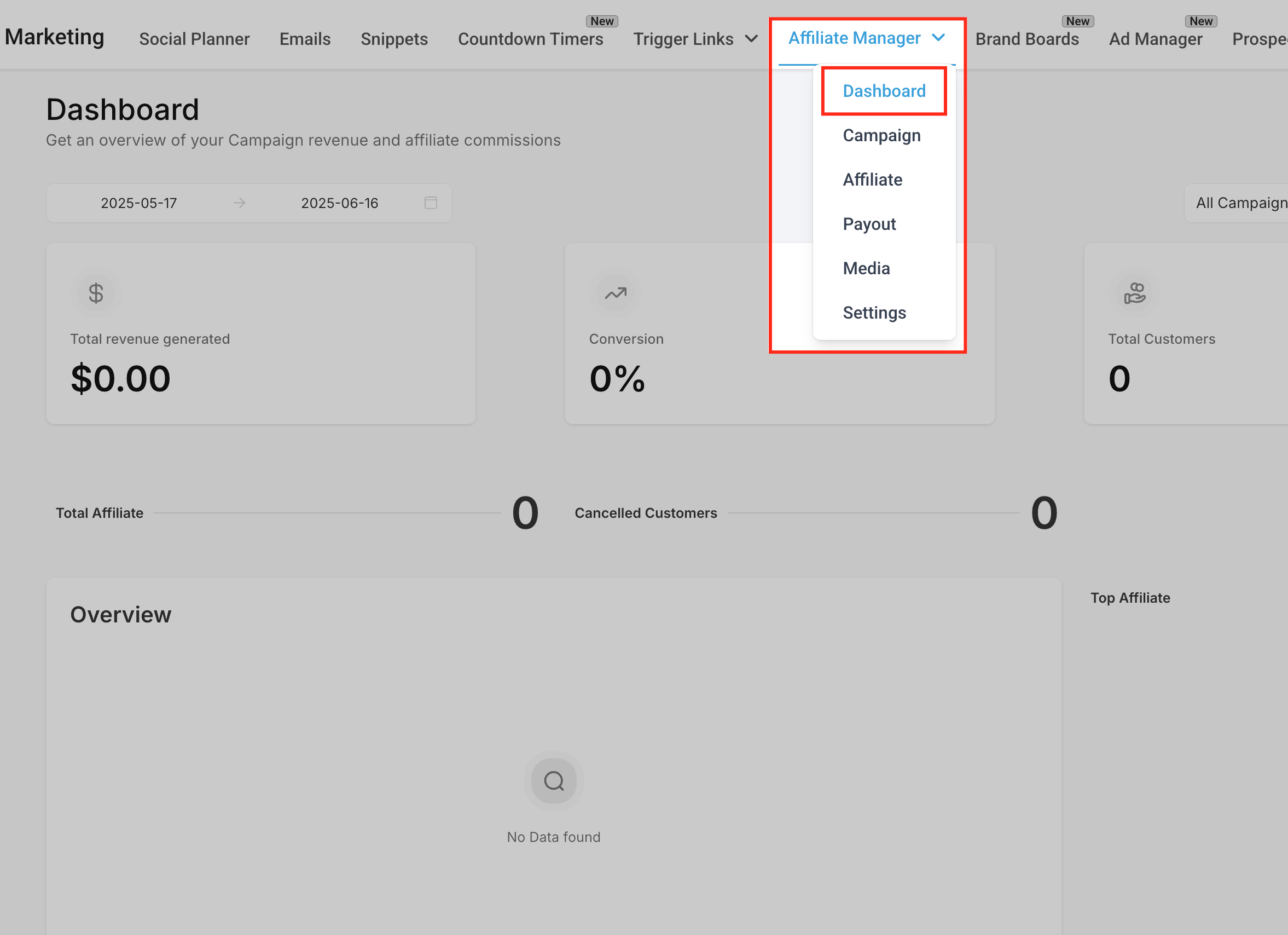
- Navigate to theAffiliate Manager Dashboard.
Navigate to theAffiliate Manager Dashboard.
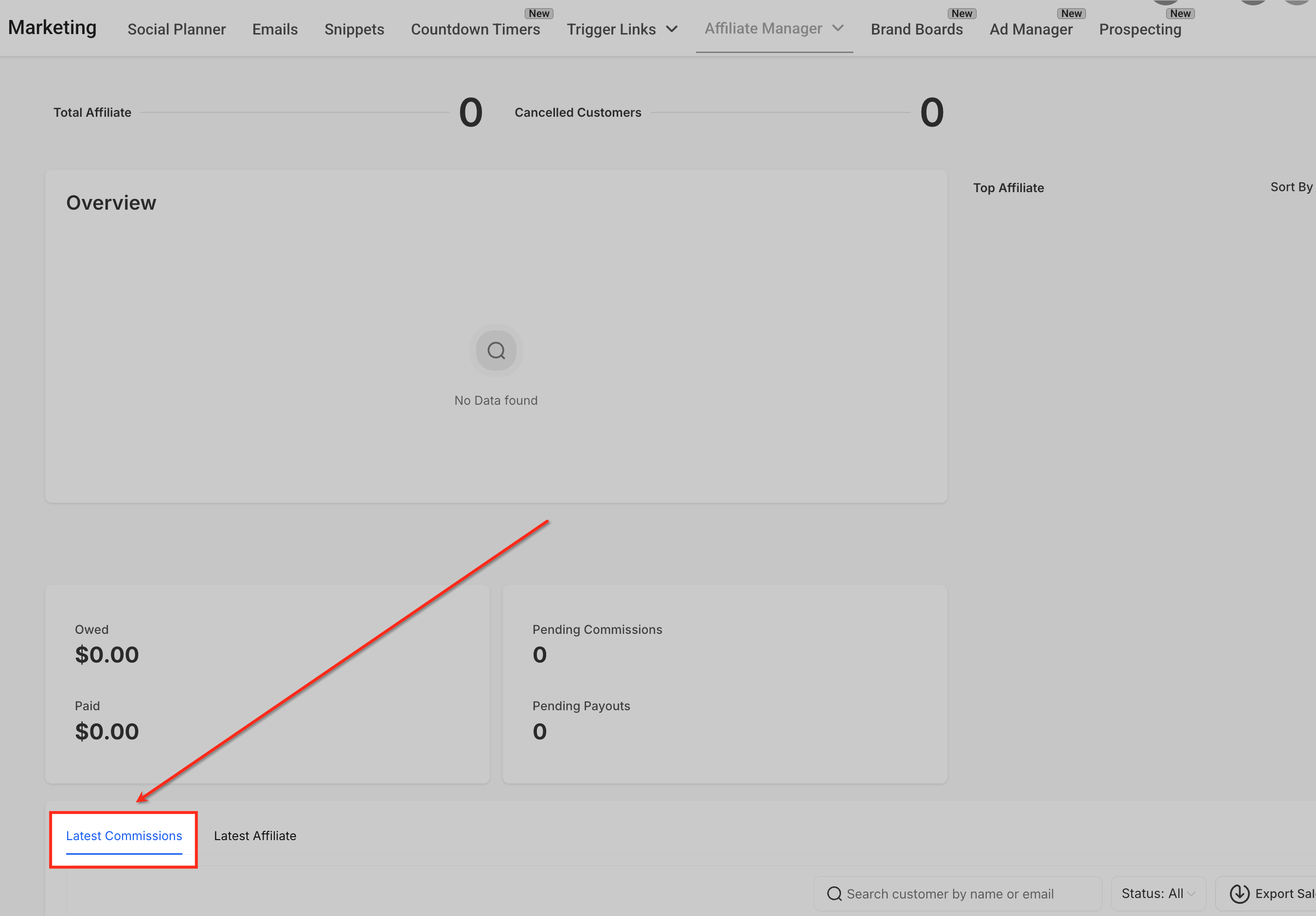
- Scroll to theLatest Commissionssection.
Scroll to theLatest Commissionssection.
- Use checkboxes to select multiple commissions.
Use checkboxes to select multiple commissions.
- Click theBulk Actionsbutton and choose your desired action.
Click theBulk Actionsbutton and choose your desired action.
Filtering Commissions by Status and Campaign
Filters help you quickly narrow down commissions so you can take action faster—especially useful when managing large affiliate programs.
- Use theStatus filterto view only pending, approved, or denied commissions.
Use theStatus filterto view only pending, approved, or denied commissions.
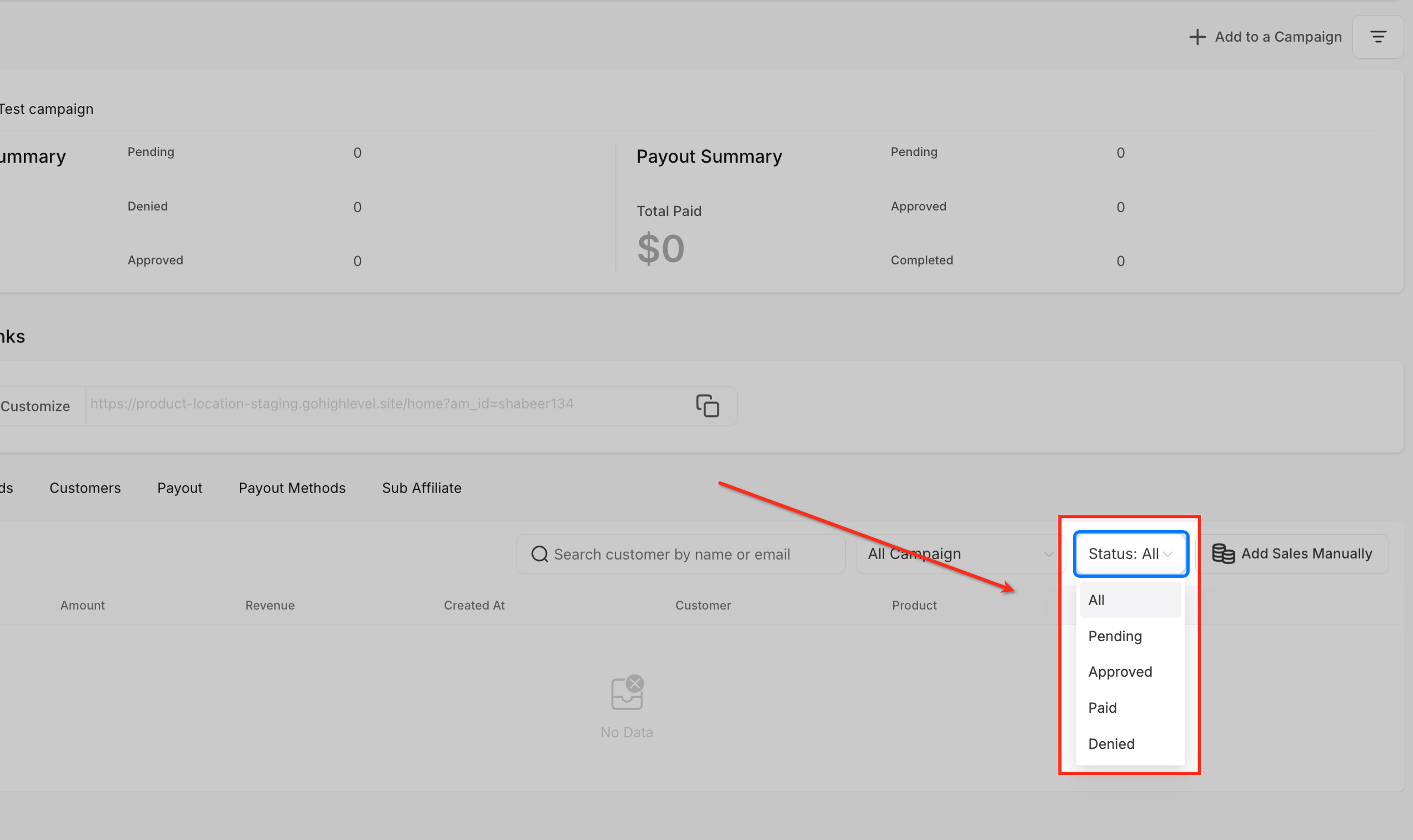
- Use theCampaign filterto isolate commissions by affiliate campaign.
Use theCampaign filterto isolate commissions by affiliate campaign.
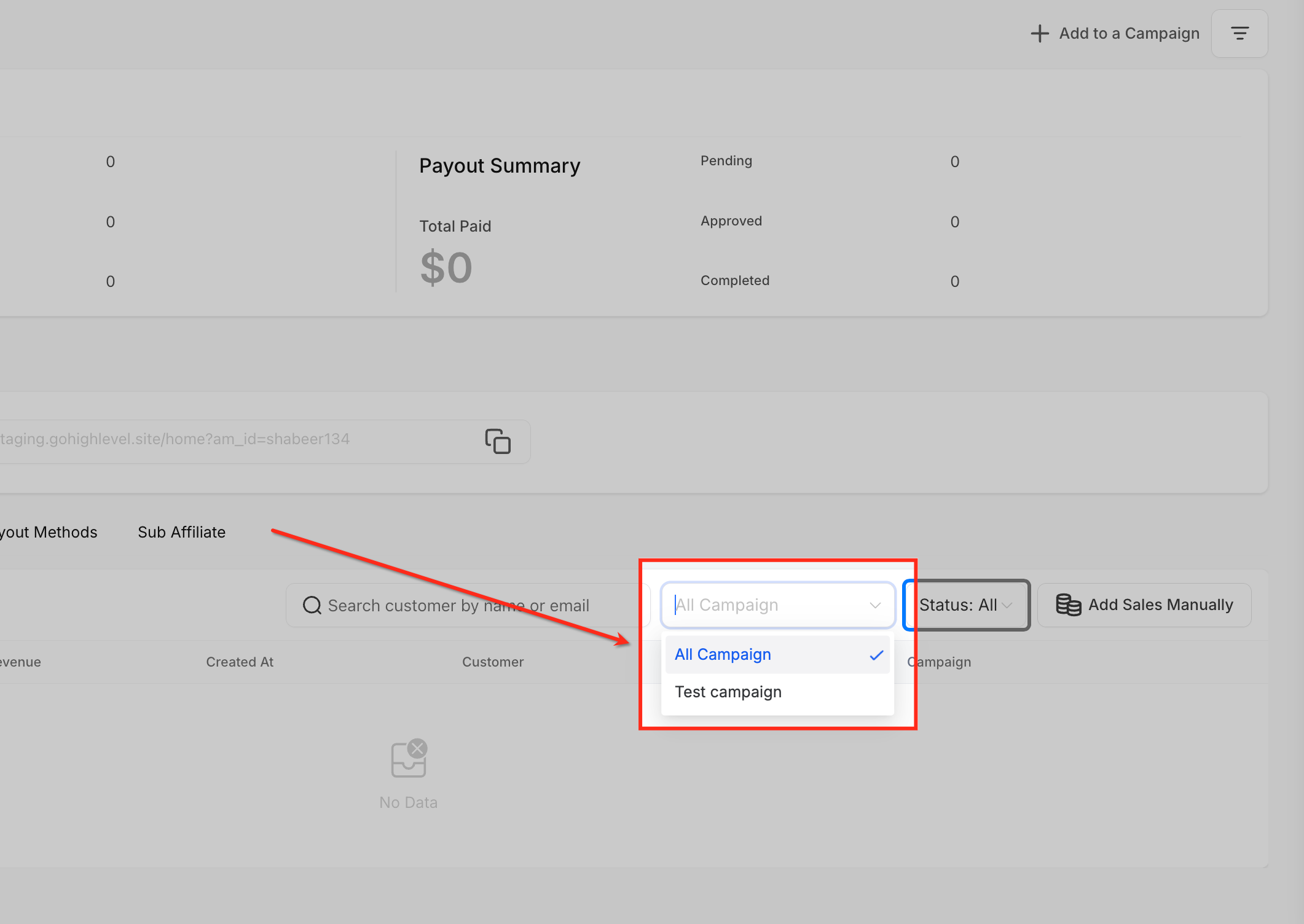
- Combine filters for even more precise searches.
Combine filters for even more precise searches.
Frequently Asked Questions
Q: Can I undo a bulk action?
No. Once a bulk action is submitted, it is final. Make sure to double-check your selections before confirming.
Q: Are bulk actions available to all user roles?
Only users with permission to manage affiliate commissions can perform bulk actions.
Q: Can I apply bulk actions to commissions from different affiliates at once?
Yes, when using the dashboard view, you can select commissions across multiple affiliates.
Q: Do these bulk actions trigger any email notifications to affiliates?
Currently, bulk actions do not automatically trigger affiliate notifications.
Q: Is there a limit to how many commissions I can bulk approve at once?
There is no fixed limit, but large volumes may take a few seconds to process.